Invoices
View payment records, retry failed payments, and create one-time invoices across your network or your workspace.
The Invoices page is the record of every Stripe charge on the network (or on your single workspace). It is where you review payment status, pull receipts, retry failed charges, and bill for one-off work.
Who sees what
Hub admins see invoices for every workspace in the network. Workspace owners see only their own invoices.
As a hub admin, you see invoices for all workspaces in one place, with tools to filter, act on individual invoices, and bill for one-time charges.
Filter the invoice list
Narrow the list to find the invoices you need:
- Status: Paid, Open, Failed, Void, or Draft
- Workspace: Select a specific workspace to see only its invoices
Act on a single invoice
For each invoice, you can:
- Download PDF: Get the Stripe-generated invoice document
- Retry Payment: For failed invoices, retry the charge against the workspace's payment method
- Void Invoice: Cancel an invoice (this reverts the workspace's budget status to draft)
Create a one-time invoice
Use this to bill for charges outside the regular billing cycle (one-off creative work, a setup fee, an ad-hoc service).
Open the invoice creator
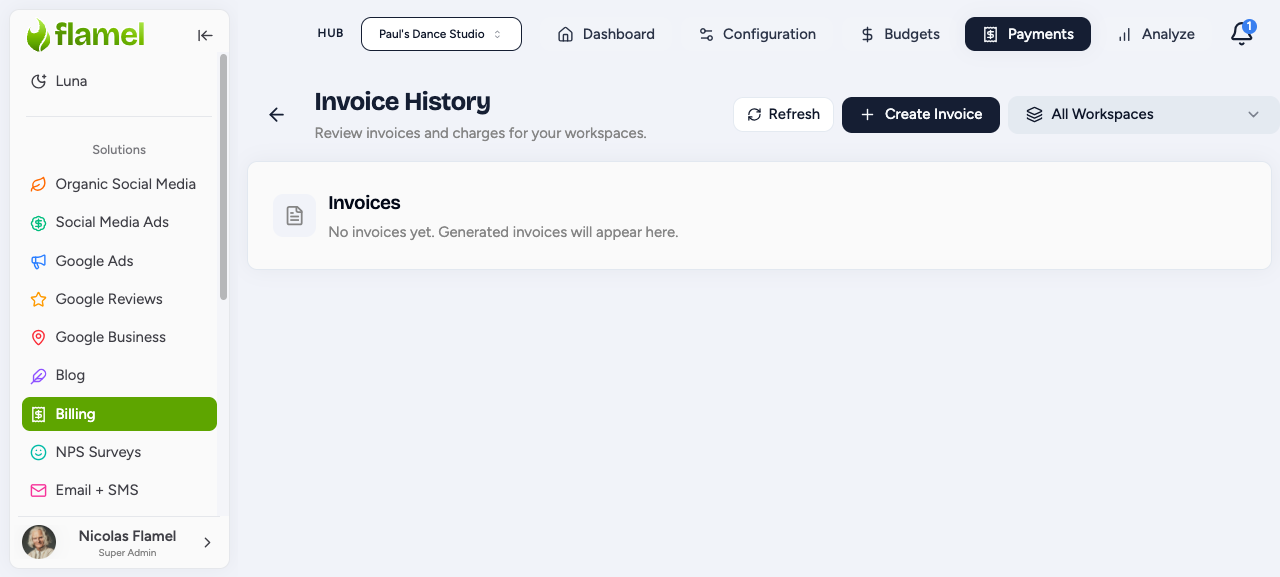
Click Create Invoice to start a manual invoice.
Choose the workspaces
Select the workspace (or workspaces) you want to bill.
Add line items
Add one or more line items, each with a description and an amount.
Send for payment
Save the invoice. It is sent to the selected workspace (or workspaces) for payment.
As a workspace owner, you see only your own invoices. Each invoice shows:
- Date: The billing period covered
- Amount: Total charged (including any management fee)
- Status: Current payment status
- Actions: Download the PDF or view the invoice in Stripe
Invoice statuses
Use this legend to read any invoice's status at a glance.
| Status | What it means |
|---|---|
| Draft | Invoice is being prepared (not yet sent) |
| Open | Invoice is sent and awaiting payment |
| Paid | Payment was successful |
| Failed | Payment was attempted but did not go through |
| Void | Invoice was canceled by the hub admin |
How a payment moves through its lifecycle
Every recurring charge follows the same path from generation to paid (or failed).
Stripe generates the invoice
When the billing cycle starts, Stripe generates an invoice for the workspace.
The invoice is finalized and sent
Stripe finalizes the invoice and sends it to the workspace. Its status moves to Open.
Stripe charges the payment method
Stripe attempts to charge the workspace's payment method on file.
A successful charge is marked Paid
If the charge succeeds, the invoice is marked Paid and no further action is needed.
A failed charge can be retried
If the charge does not go through, the invoice is marked Failed. A hub admin can retry it from the invoice actions.