Google Business Profile
Manage every location's Google Business Profile from Flamel: profile records, field locks and approvals, the Drift Queue, bulk changes, analytics, and GBP posts.
Google Business Profile (GBP) is your listing on Google Search and Maps, and keeping it accurate helps nearby customers find and trust you. Update listing details and publish GBP posts in Flamel without a separate tool. A hub can manage every location's profile from one place, lock fields that must stay on brand, and update many locations at once.
Before you start
Each workspace connects its own Google Business Profile, and Hub admins can manage GBP for any workspace they administer. You must be an Owner or Manager on the listing in Google; Viewer access won't let you connect the listing or post updates. Connections live under Connected Accounts.
Connect your Google Business Profile
Open Connected Accounts
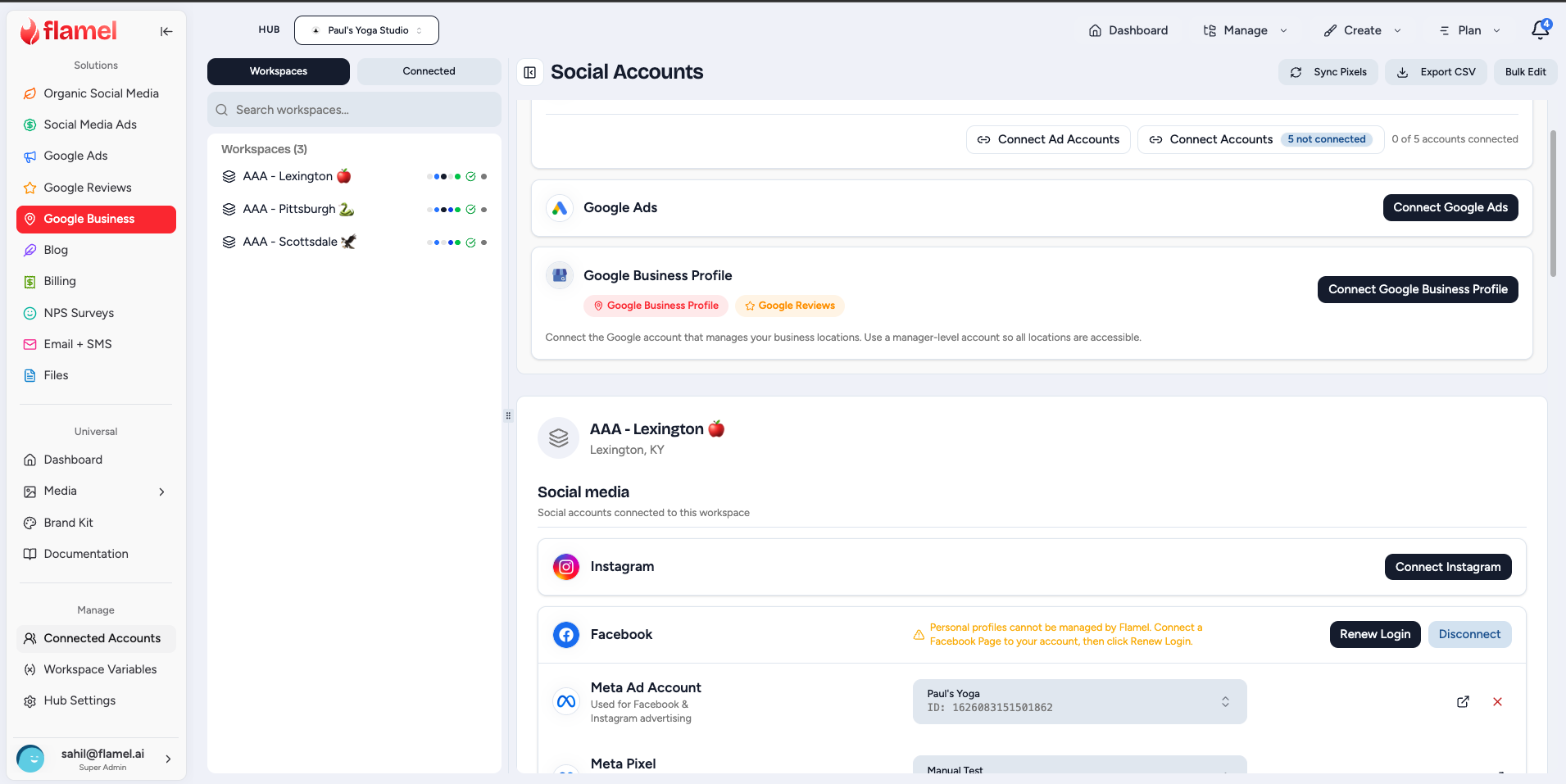
Go to Connected Accounts in your workspace and find the Google section.
Sign in with Google
Click Connect Google Business Profile and sign in with the Google account that has admin access to your business listing.
Select your location
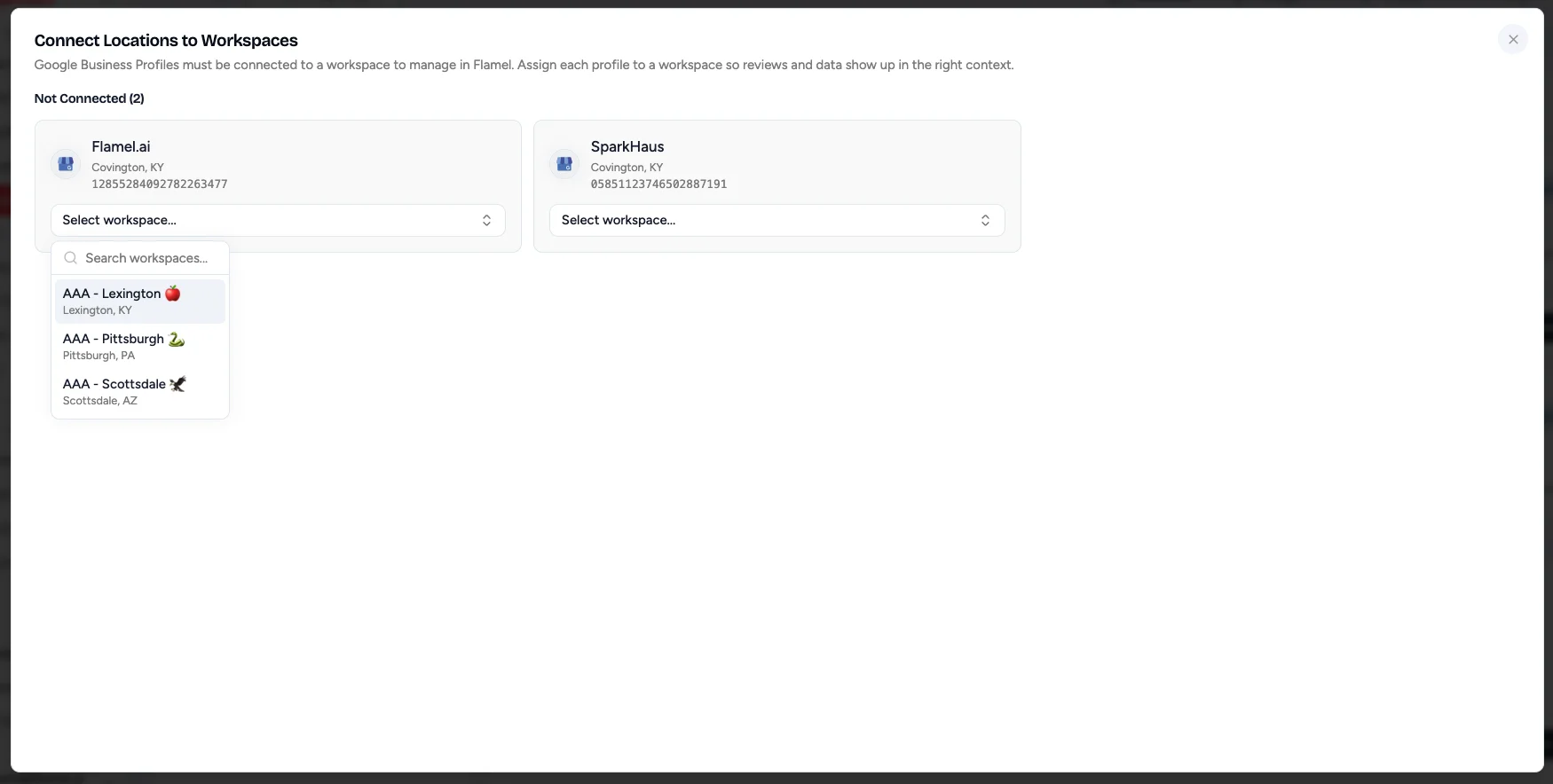
Choose the business listing you want to manage. If your account has multiple locations, each workspace connects to its own listing.
Connect a hub's locations to workspaces
A hub admin can connect Google once at the hub level. Every location on that Google account then appears in the picker, including the locations that no workspace claimed yet.
Open the location picker
In Connected Accounts, find the Google Business Profile card and click Connect Locations. A badge on the button counts the profiles that are not connected.
Assign each profile
The Connect Locations to Workspaces dialog groups the unassigned profiles under Not Connected. Click Select workspace... on a profile and choose the workspace that runs it.
Or connect one profile to every workspace
In the same picker, choose Connect to all workspaces. Flamel links that profile to every workspace bound to the hub. A workspace that already has a profile keeps the one it has, and a workspace without a location is skipped. The result message tells you how many workspaces got the profile.
Why this matters
A profile must belong to a workspace before reviews, posts, and analytics appear in the right place. Read Workspaces for how a hub binds its locations.
Keep Your Listing Accurate
Flamel keeps one profile record for each location. The record holds the business name, address, phone number, website, regular hours, special hours, categories, services, attributes, labels, and store code. When you save, Flamel writes the change to Google and reports the result. A message shows Saving to Google, then confirms the update or shows the reason Google refused it.
Open Google, then Business Profile in the sidebar. A hub admin goes to Manage, then Profiles to see the Business Profiles table, with a row for each location and columns for Business Name, Location, Phone, Hours, and Status. Search by name, city, or store code. Filter by Synced, Not Synced, or Sync Errors. Click Sync All to pull fresh data from Google, or Add profile to create a new location on Google.
Click a row to open that location's profile. The profile has seven tabs: Info, Location, Hours, Services, Attributes, Media, and Advanced.
Update business information
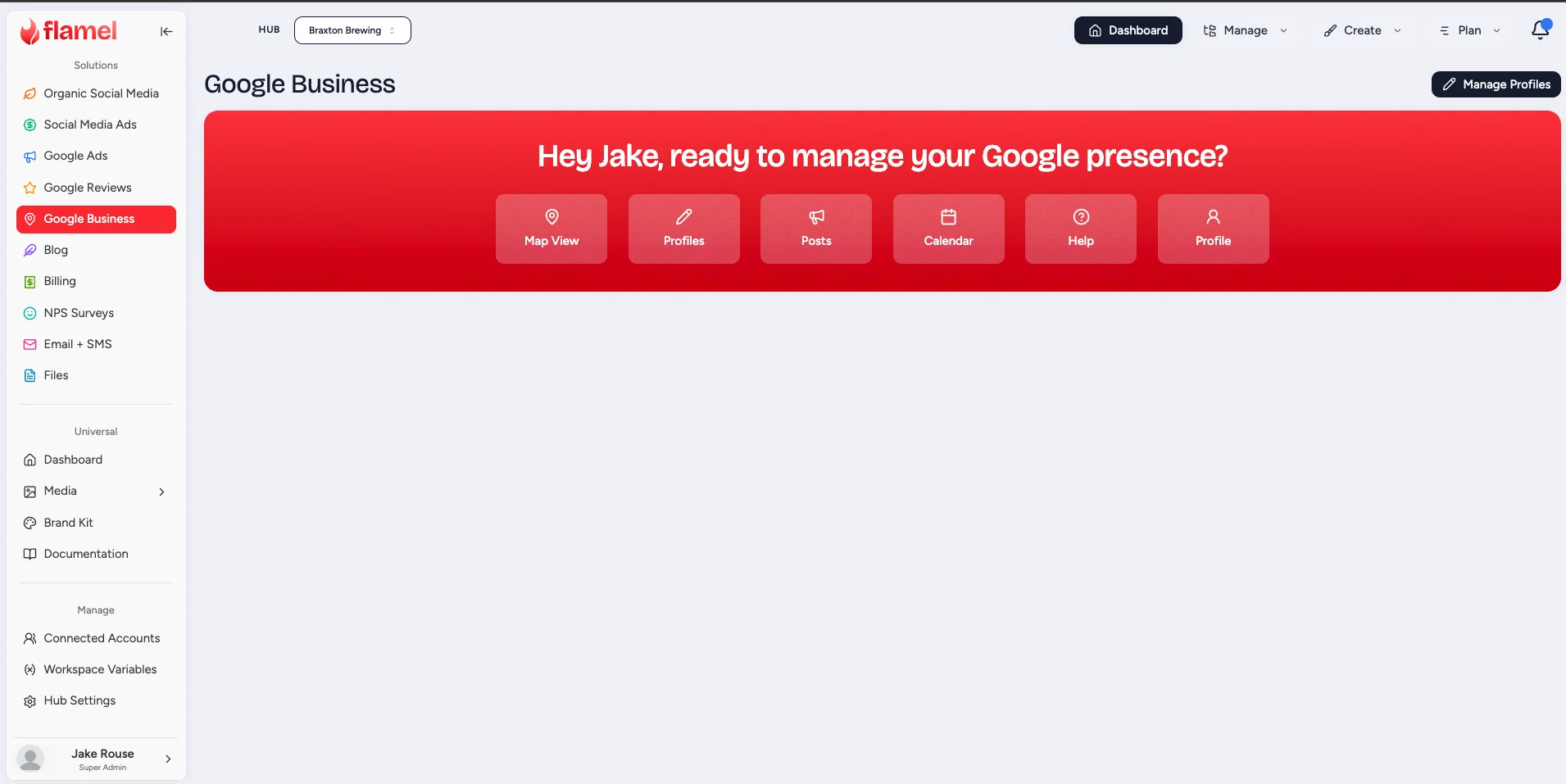
On the Info tab, update your business name, phone number, website URL, and description. On the Location tab, update the address and the service area. Keep these consistent with how your brand appears everywhere else, including Flamel's Workspace Variables.
Set your hours
On the Hours tab, update Regular Hours, add Special Hours for holidays and seasonal changes, and set Additional Hours for delivery, takeout, or drive-through. Accurate hours reduce customer frustration from arrivals during closed times.
Add services and attributes
On the Services tab, list the services you offer, with a price when you want to show one. On the Attributes tab, set the amenities and features Google offers for your category, for example wheelchair access or outdoor seating.
Add photos
On the Media tab, upload exterior, interior, product, and team photos. Listings with photos consistently see more engagement than text-only listings.
Save
A bar appears at the bottom of the page and reads You have unsaved changes. Click Save Changes. Flamel queues the write, sends it to Google, and tells you when Google accepts it.
Field Locks and Change Requests
A hub keeps chosen profile fields under brand control. A locked field stays exactly as the brand set it, even when someone edits the listing from a workspace.
Lock the fields the brand owns
Hub admins go to Google, then Business Profile, then Manage, then Field Locks.
Set each field
Every field has a switch that reads Locked or Editable. Turn the switch on to lock the field. Turn it off to let workspaces edit the field directly.
Set a description template (optional)
Enter the base description that all locations use. Turn on Allow Workspace Addendum to let each workspace add its own text after the template.
Save
Click Save Changes. The new locks apply the next time a workspace edits a profile.
How a workspace requests a change
A workspace user sees a lock icon next to every locked field. The tooltip reads "This field is managed by your franchisor". The user can still type a new value and click Save Changes.
- Unlocked fields go straight to Google.
- Locked fields become a change request. A message confirms Request Submitted.
Nothing reaches Google until a hub admin approves the request.
Approve or reject a request
Hub admins go to Manage, then Approvals to open the Approval Queue. The Pending tab lists the open requests, and the History tab lists the decided ones. Search by location or workspace.
Click a request to open Review Change Request. It names the location and the workspace, and it shows each field with its Current value beside the Requested value. Add Review Notes if you want to record your reasoning.
- Click Approve to write the change to Google. Flamel applies it through the same write path as a direct edit.
- Click Reject to decline the request. Nothing changes on Google.
A hub can always edit
Field locks apply to workspace users. A hub admin edits any field on any of its locations directly, with no request step.
The Drift Queue
Someone can change a profile straight in Google, outside Flamel. The Drift Queue lists every field where the live Google profile no longer matches the Flamel record, so you decide what to keep.
Open Manage, then Drift Queue. Both hubs and workspaces have this page. Each one sees only its own locations.
The line under the title reports the last scan: how many locations Flamel scanned, how many it skipped because it could not reach them, and how many are no longer on Google. Click Scan now to check Google again.
Each item shows the field name, the location, and two values side by side:
- Platform record (expected) is the value Flamel holds.
- Google now shows is the value live on Google today.
A badge recommends an action. A locked field reads Locked field: revert recommended. An unlocked field reads Local field: keep recommended.
Choose one of three actions:
| Action | What it does |
|---|---|
| Revert on Google | Writes the Flamel value back to Google and undoes the outside change. |
| Keep Google's | Absorbs the Google value into the Flamel record and treats it as correct. |
| Dismiss | Closes the item and changes nothing. |
Select several items with the checkboxes to use Revert all, Keep Google's all, or Dismiss together.
A locked field never absorbs quietly
When a sync finds that a hub-locked field changed on Google, Flamel withholds that value and opens a drift item instead. The brand value stays in the record until a hub admin decides.
Bulk Changes
Bulk Changes applies one field change to many locations in a single run. It is a hub tool.
Bulk Changes writes to real listings across your fleet
A bulk change is not a draft. When you apply it, Flamel writes the new value to the live Google listing of every targeted location. Always read the preview first. The preview names each location and states exactly what happens to it, so you can see the blast radius before anything reaches Google. If the preview surprises you, click Adjust and change the target or the value. Nothing goes to Google until you click Apply.
Start a run
Open Manage, then Profiles, then click Bulk changes. To work from a hand-picked list instead, tick the checkbox on each row you want and click Bulk change with the count on it.
1. Target
Pick the locations. Use a saved segment, or build a filter from Labels, States / regions, Primary category, and Open status. Click Save filter as segment to reuse the same target later. Locations you picked on the Profiles page appear here as a selected set.
2. Change
Pick the Field and enter the New value. You can bulk change the website, description, phone number, open status, regular hours, special hours, primary category, one attribute, or labels.
3. Preview
Click Preview. Flamel resolves the target set and classifies every location. Nothing is written to Google in this step.
Apply
Read the counts and the per-location table. Click Apply with the change count on it. Flamel writes to Google at a paced rate that respects Google's limits, and the progress bar fills as locations settle.
Read the preview
The preview gives you a count for each outcome and a table with one row per location. The table columns are Location, Status, Current value, and Detail.
| Preview result | Meaning |
|---|---|
| Will change | The location gets the new value when you apply. |
| No change | The location already matches the new value, so Flamel skips it. |
| Invalid | The change cannot apply here, for example an attribute that Google does not offer for that location's category. |
| Conflict | An open drift item already exists on this field for that location. Resolve it in the Drift Queue first. |
Only Will change rows are written. The Apply button stays off when that count is zero.
After the run
Click a run in the Bulk Changes list to open it. The same table now shows the real outcome for each location: Applied, Failed, or Held for review.
- Retry failed re-queues only the locations that failed, so the ones that worked stay untouched.
- Undo restores each location's previous value. Flamel captures the previous value for every location before it writes, so the undo is exact. It runs as its own tracked job with its own outcomes.
- Cancel stops a run that is scheduled, ready, or still in progress.
Schedule a run and an automatic revert
Click Schedule... in the preview step instead of applying now.
- Run at sets the date and time for the run.
- Auto-revert at (optional) sets the date and time when Flamel restores every location's previous value.
The pair covers a holiday cleanly: schedule the holiday hours for the morning of the holiday, and schedule the revert for the morning after. Flamel resolves the target again at run time, so locations added to the segment in the meantime are included. You can cancel a scheduled run any time before it starts.
Category changes get an extra confirmation
Google treats a category change as high risk. A listing can be held for review or asked to verify again. Flamel therefore asks you to confirm before it applies or schedules a primary category change, spaces the writes further apart, and checks each listing again afterwards. A listing that Google second-guesses shows as Held for review so you can act on it.
Publish GBP Posts
GBP posts appear on your Google listing and are a quick way to promote offers, events, and updates to people actively searching for you.
Open the GBP post composer
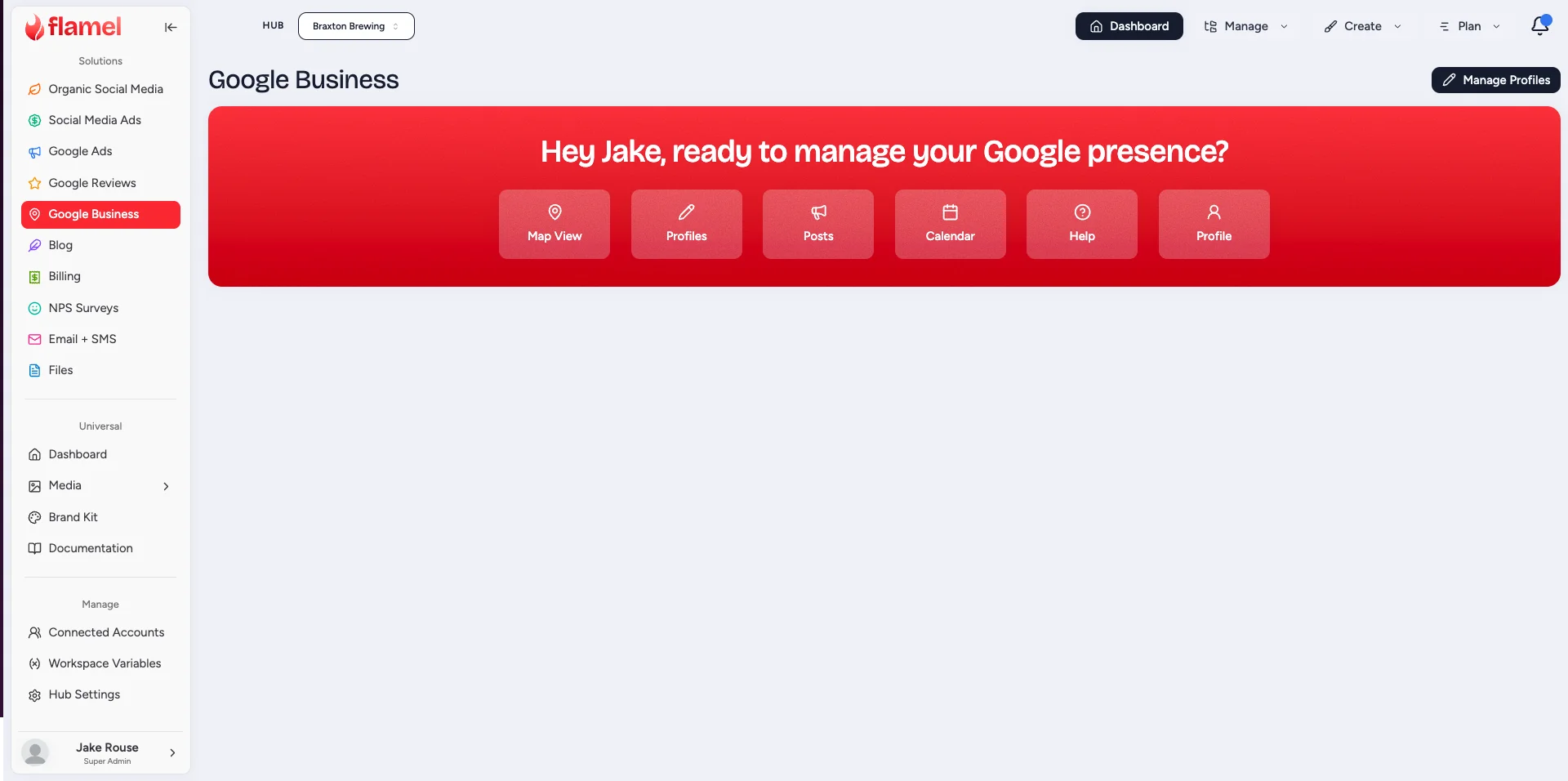
From Google, then Business Profile, click Create Post to open the post composer.
Choose the post type
In the post-type selector, pick the type that matches your update (What's New, Event, Offer, or Product). See the Reference section below for what each type is for.
Write and publish
Add your copy and an image, set the call-to-action (CTA) button if your post type supports one (for example Learn More, Sign Up, Call Now, or an Offer redemption link), then click Publish. GBP posts appear on your listing within minutes.
Post weekly for best results
Listings that publish GBP posts regularly show more prominently for local searches. Aim for at least one post per week. The Flamel calendar is a good place to plan and schedule GBP posts alongside your social content.
A failed image fetch retries by itself
Google downloads your image from Flamel when it creates the post. That download sometimes fails for a moment. Flamel now waits and sends the post again, up to three times, and it does the same when Google rate limits the request. You do not need to publish the post a second time.
Google Business Profile Analytics
Open Analyze, then Google Business Profile Analytics to see how your listings perform on Search and Maps.
Four cards give the cumulative totals for the period:
| Metric | What it counts |
|---|---|
| Impressions | Times your profiles appeared on Search and Maps |
| Website Clicks | Clicks from the listing to your website |
| Direction Requests | Requests for directions to the location |
| Phone Calls | Calls started from the listing |
A hub sees the totals for every location it manages. A workspace sees its own. Choose Last 7 days, Last 30 days, or Last 90 days, and use the location selector to drill into a single location. The Performance Trends chart plots daily impressions and daily actions, where actions are website clicks, calls, and direction requests added together.
Compare locations
A hub admin clicks By location to open Analytics by Location. The table gives one row per location with columns for Impressions, Total Actions, Directions, Calls, and Website. Click a column heading to sort by it, and use the search box to find a location by name.
Coverage warnings
A quiet dashboard is only meaningful when Flamel reached every location. Both analytics pages print a warning when they could not.
- The cumulative page warns that a number of locations were unreachable and that the totals are partial.
- The by-location table warns that the unreachable rows show zeros.
Treat that warning as a connection problem to fix, not as a drop in performance.
Filling in history
Flamel stores each location's daily numbers as it reads them. When you choose a period that Flamel has not read yet, it fetches the missing days from Google on the spot and keeps them, so the same period loads immediately next time.
Google reports a few days behind
Google publishes profile metrics on a delay. The most recent days stay empty for a short time and fill in later. This is normal and is not a sign of a broken connection.
Fix a Disconnected Profile
If your GBP connection shows an error or the listing appears disconnected, the most common causes are:
- The Google account used to connect lost admin access on the listing.
- The Google account password changed, which signed Flamel out of the listing.
- The listing was transferred to a different Google account.
To fix it, open Connected Accounts, disconnect the existing GBP connection, and reconnect with a Google account that currently has admin access.
A dead connection stops more than posting
The Business Profiles page shows a banner when a Google connection needs reconnecting. Until you renew it, profile syncs, drift scans, and bulk changes all fail for the locations on that connection. Fix the connection first, then re-run the work. See Connection Expired for the full recovery steps.
Reference
GBP Post Types
| Type | Use for |
|---|---|
| What's New | General updates, news, announcements |
| Event | Time-limited events with a start and end date |
| Offer | Discounts and promotions with a redemption code or link |
| Product | Highlight a specific product from your catalog |
Post Expiry
GBP posts are not permanent. Google automatically removes most post types after seven days, though Event posts stay visible until the event ends.
Posts expire, but the habit is worth building
Even though posts expire, regular posting still matters. It tells Google the listing is actively managed, which can help your local ranking.
Lockable Profile Fields
A hub can lock any of these fields under Manage, then Field Locks.
| Field | What it covers |
|---|---|
| Business Name | The name of the business as it appears on Google |
| Address | The physical address, which Google may ask you to verify |
| Website URL | The business website link |
| Phone Number | The primary contact phone number |
| Regular Hours | Standard opening hours for each day |
| Special Hours | Holiday hours and temporary closures |
| Primary Category | The main business category on Google |
| Additional Categories | Secondary business categories |
| Description | The business description text |
| Internal Labels | Tags used to organize locations inside Flamel |
| Attributes | Amenities, services, and features |
| Store Code | The external identifier for the location |
| Business Status | Open, temporarily closed, or permanently closed |
| Additional Hours | Delivery, takeout, drive-through, and other hours |
| Services | Services offered, with optional pricing |
| Service Area | The geographic area the business serves |
| Coordinates | Latitude and longitude for map placement |
| Ad Phone Number | The phone number used in Google Ads location extensions |
Fields You Can Change in Bulk
Website, Description, Phone number, Open status, Regular hours, Special hours (holidays), Primary category, one Attribute, and Labels.
Bulk Run Outcomes
| Status | Stage | Meaning |
|---|---|---|
| Will change | Preview | The location gets the new value on apply |
| No change | Preview | The location already matches |
| Invalid | Preview | The change cannot apply to this location |
| Conflict | Preview | Open drift on this field; resolve it first |
| Applied | After the run | Google accepted the change |
| Failed | After the run | Google refused the change; use Retry failed |
| Held for review | After the run | Google is reviewing or reversed the change |
Related Articles
Respond to customer reviews and monitor your star rating.
Connect and manage all your platform connections in one place.
Schedule GBP posts alongside all your other content.
Keep your address and hours consistent with the Location table.