SEO Tips
Make your blog posts findable in search. Learn how to optimize titles, meta descriptions, structure and images.
For everyone. SEO settings live in the Blog Editor's SEO panel. You can access them as you write individual blog posts.
SEO is not gaming an algorithm. It is clearly describing what your content covers so search engines can match it with searches. Set the three fields search engines read (title tag, meta description, and URL slug) in the Blog Editor, using the practices below.
Optimize SEO Fields In Your Blog's Editor
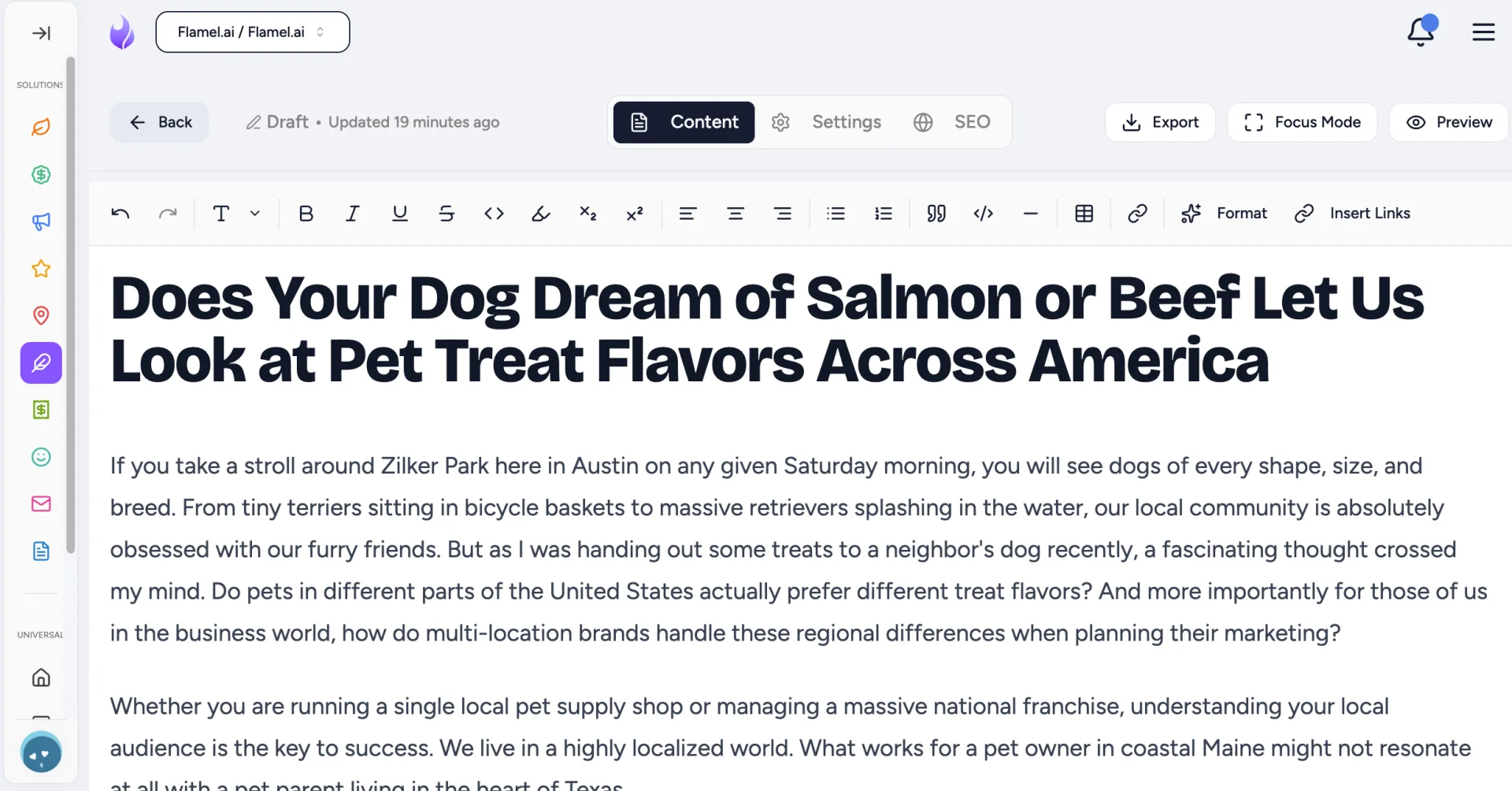
Open Its SEO Panel
In the editor, you'll see a panel at the top that lists: Content, Settings and SEO. Open the SEO portion of the panel. This is where the fields search engines read live.
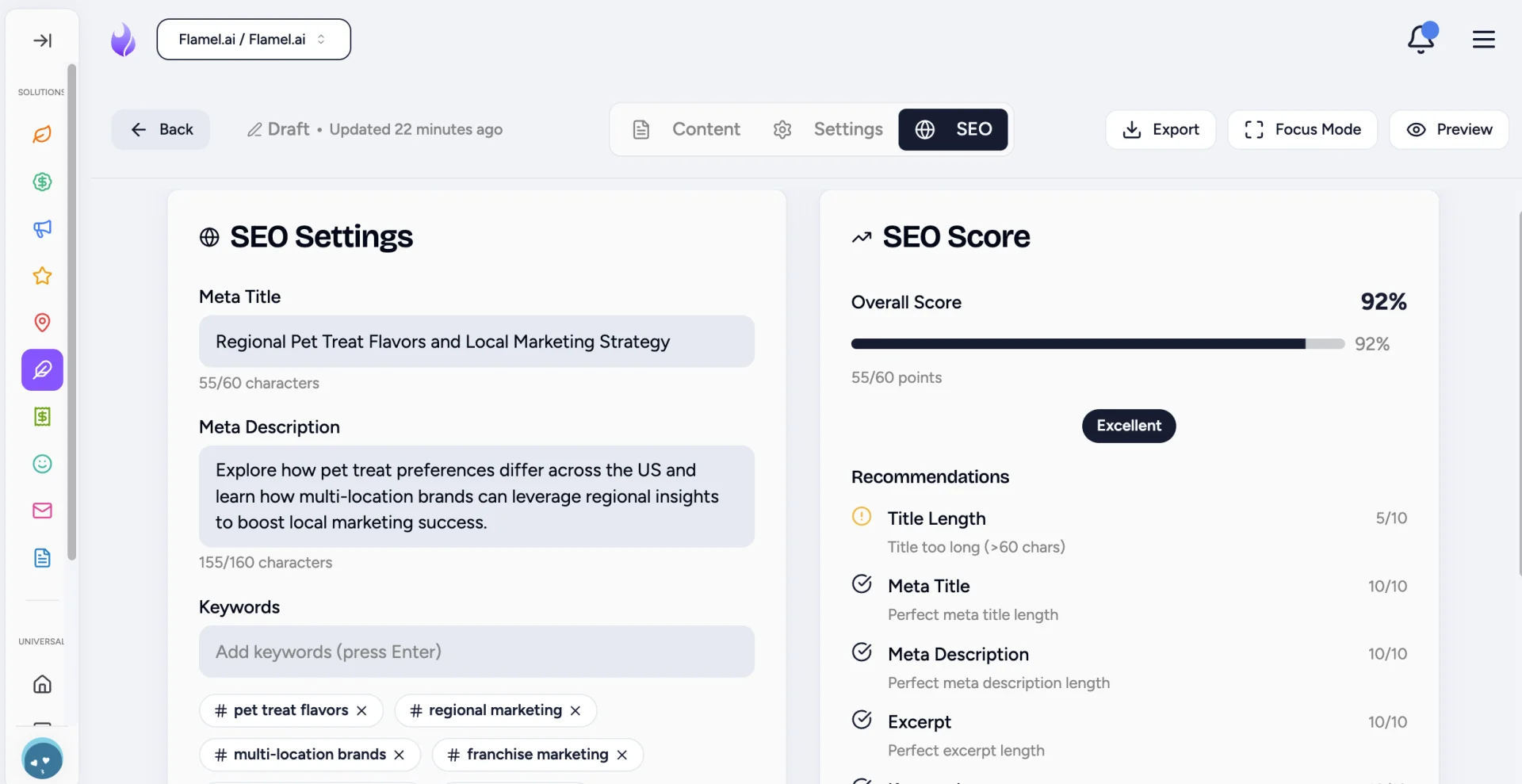
Fill In the Title Tag, Meta Description and URL Slug
Set the Meta Title (the clickable headline in search results), the Meta Description (the summary below it) and Keywords (clues search engines into what you want to optimize for).
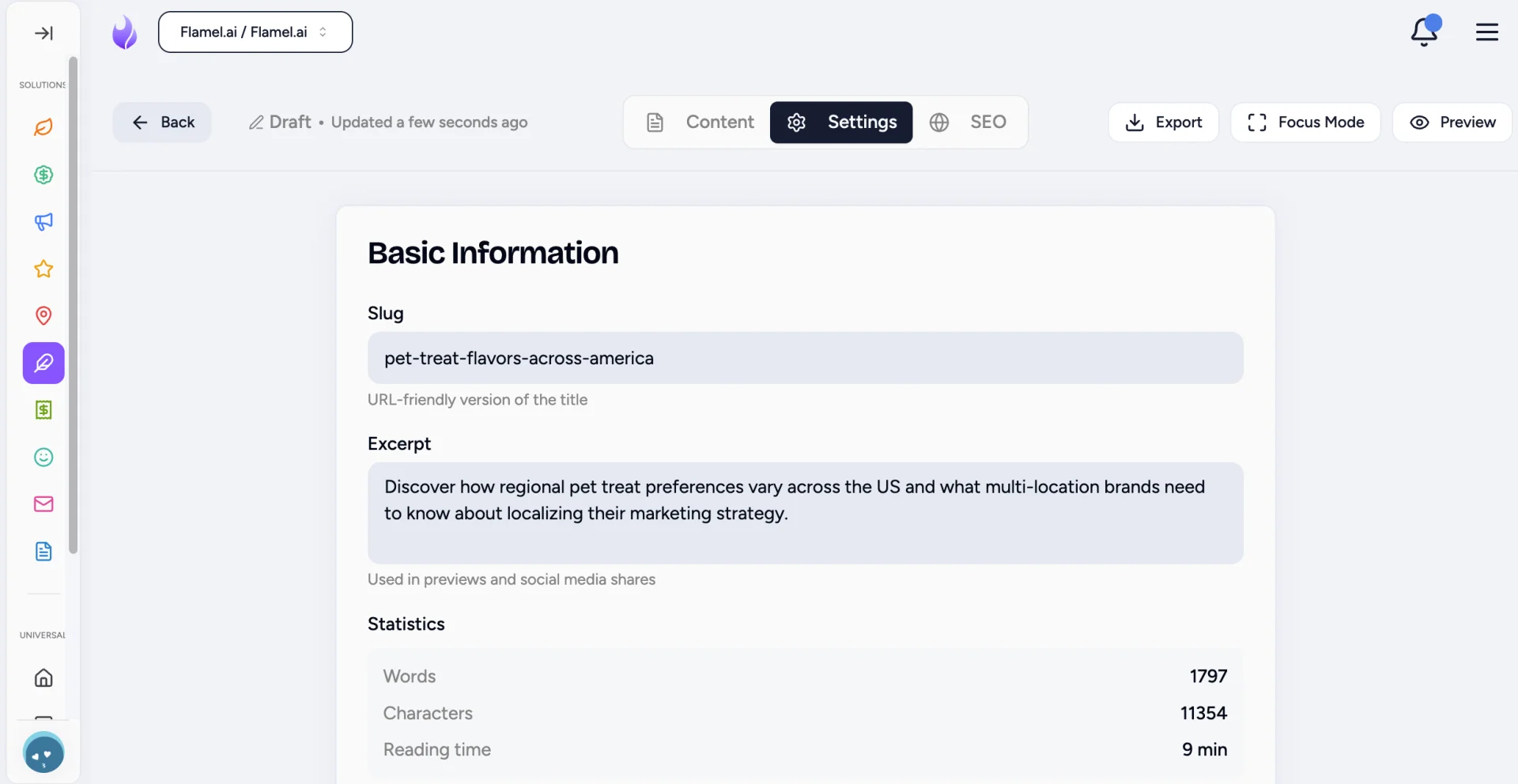
In the Setting toggle of the panel, enter in the URL Slug (the readable path for the post).
How to Write Various SEO Elements
Learn how to write each of the SEO items we just covered. The reference tables below show how to do just that.
Meta Titles
This is the clickable headline in search results. A strong title:
- Includes your main keyword
- Describes the content accurately
- Compels a click
- Stays under 60 characters (the truncation point)
Better: "How to Choose a Franchise Location: 7 Factors That Matter" Worse: "Choosing a Location" (too vague)
Meta Descriptions
These appears below the title in search results. They're not a direct ranking factor, but they do boost click-through rate, so craft them wisely. Meta descriptions are:
- Around 155 characters
- Include your keywords naturally (Don't keyword stuff your meta descriptions. Ensure they make sense.)
- Give a concrete reason to click
URL Slug
Keep it short, descriptive and keyword-inclusive.
| Good | Bad |
|---|---|
/choosing-franchise-location | /blog-post-47 |
/franchise-marketing-trends | /how-to-be-better-at-franchise-marketing-this-year |
Use hyphens between words and skip filler words.
How to Structure Blog Content for SEO
| Element | Best Practice |
|---|---|
| Headings | H1 once (the title), H2 for sections, H3 for subsections; include keywords naturally throughout all |
| Keywords in first paragraph | Establishes the topic immediately for search engines |
| Length | Match the topic: 1,000+ words for in-depth guides, shorter for news or announcements |
| Internal links | Link to your other posts with descriptive anchor text |
Write for humans first. Forced keyword stuffing reads worse and ranks worse.
How to Optimize Images for SEO
| Element to include | Why it matters |
|---|---|
| Alt text | This is short, descriptive text embedded into a digital image. It's needed for accessibility and search engines reading visual content. |
| File names | franchise-location-map.jpg, not IMG_4521.jpg |
| File size | Compressed images load faster, and page speed affects rankings. |
How to Build Links for SEO
When you mention topics you have written about before, link to them. This distributes authority across your site and keeps readers engaged. Just make sure that all links to your own content open in the same tab. Links that lead to external sites should open in a new tab.
| Good | Bad |
|---|---|
| Learn more about franchise social media strategy | Read more here |
What Works When Optimizing Blog Posts?
- Match the search intent. Someone searching "how to choose a franchise location" wants practical guidance, not a sales pitch.
- Provide real value. Content that teaches, informs or solves problems earns clicks and shares. Both are ranking signals.
- Update older content. Search engines reward maintained content. Refresh outdated information periodically.
- Write naturally first, optimize second. Your voice and expertise matter more than keyword density.