Bulk Upload
Import or update many workspaces at once via CSV.
For Hub Admins
For a single workspace, click New Workspace. Use bulk upload when you have 5 or more to add or update at once.
Run the Import
Open the Importer
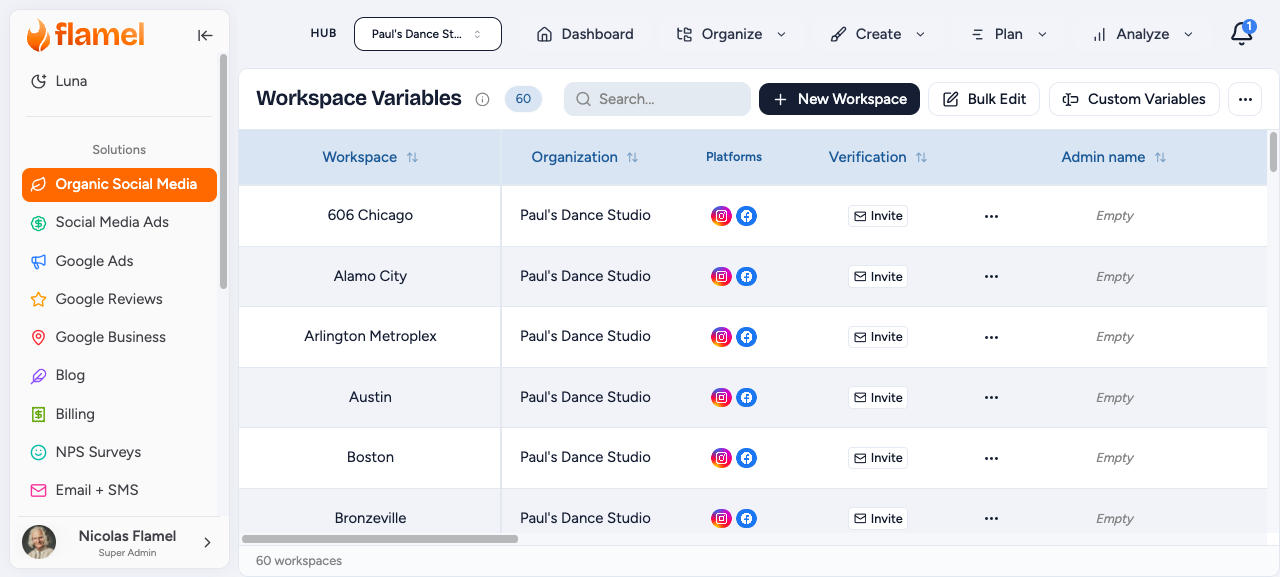
Open Workspace Variables, then choose Import from the overflow menu.
Download the Template
Click Download Template. The file includes every standard field plus any Custom Variables you have defined. Only add columns that appear in the template.
Fill in the CSV
Add one row per workspace. Save the file as CSV (UTF-8). Each row either creates a new workspace or updates an existing one based on the _id column.
Updating Existing Workspaces
To update workspaces you already have, click Export first, edit the CSV while keeping the _id values intact, then re-import. Rows with a matching _id update; rows without one create new workspaces.
Upload and Validate
Drag and drop the file, or click Choose File. The preview highlights errors in red. Click a cell to edit inline and re-validate without uploading again.
Import
Click Import. Review the success and error counts when it finishes. Any rows with errors are skipped: fix them and re-import just those rows.
Fields
| Field | Required | Notes |
|---|---|---|
_id | No | Existing workspace ID. Present means update; absent means create. |
name | Yes | Display name |
admin_name / admin_email | No | Workspace manager |
address / city / state / zip | No | Physical address |
contact_email / phone_number | No | Public contact |
website_url | No | Must include protocol (https://) or be a valid domain |
time_zone | No | IANA format, e.g. America/New_York |
| Custom variables | Depends | Marked * if required. Use field key names as headers. |
Custom Variable Column Formats
| Type | Format |
|---|---|
| Text / Email / Phone / URL | Plain string |
| Number | Numeric only |
| Boolean | true or false |
| Select | One of the predefined options |
Validation Rules
| Field | Valid | Invalid |
|---|---|---|
sarah@example.com | sarah@, sarah.example.com | |
| Phone | 5551234567, +15551234567, 555-123-4567 | 123, 555-CALL-US |
| Zip | US 94102, Canada M5V 2T6, UK SW1A 1AA | Typos or wrong format |
| URL | https://example.com, www.example.com | example (no TLD) |
Troubleshooting
- File will not upload: save as .csv (UTF-8) and check the file size is reasonable.
- Headers not recognized: match the field names exactly, with no extra whitespace.
- Special characters look wrong: use "Save As, CSV UTF-8" from your spreadsheet app.
- Partial import: review the error report, fix the flagged rows, then re-import just those rows.
Exporting
Open Workspace Variables, then choose Export as CSV from the overflow menu to download all standard fields. Use it for backups, external tools, or as a starting point for bulk updates.