Custom Variables
Add per-workspace data fields and reference them dynamically in posts and ads.
Before You Start
Custom variables are created in Hub context. Workspaces see only resolved values; they cannot create or rename them. Values live on the Workspace Variables table.
Define a custom field once, fill it for each workspace, then use it in any post or ad. Examples include local offers, store manager names, regional specialties, and trial pricing.
Create a Custom Variable
Open the Field Editor
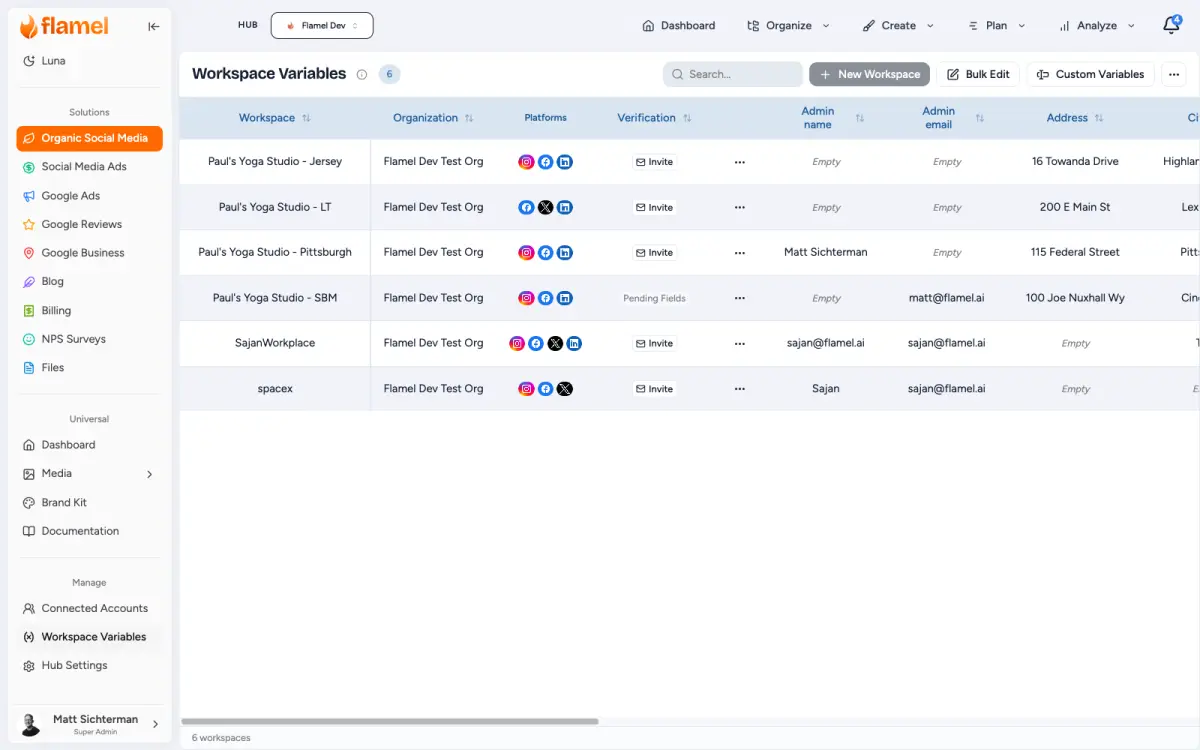
Open Workspace Variables and click Custom Variables.
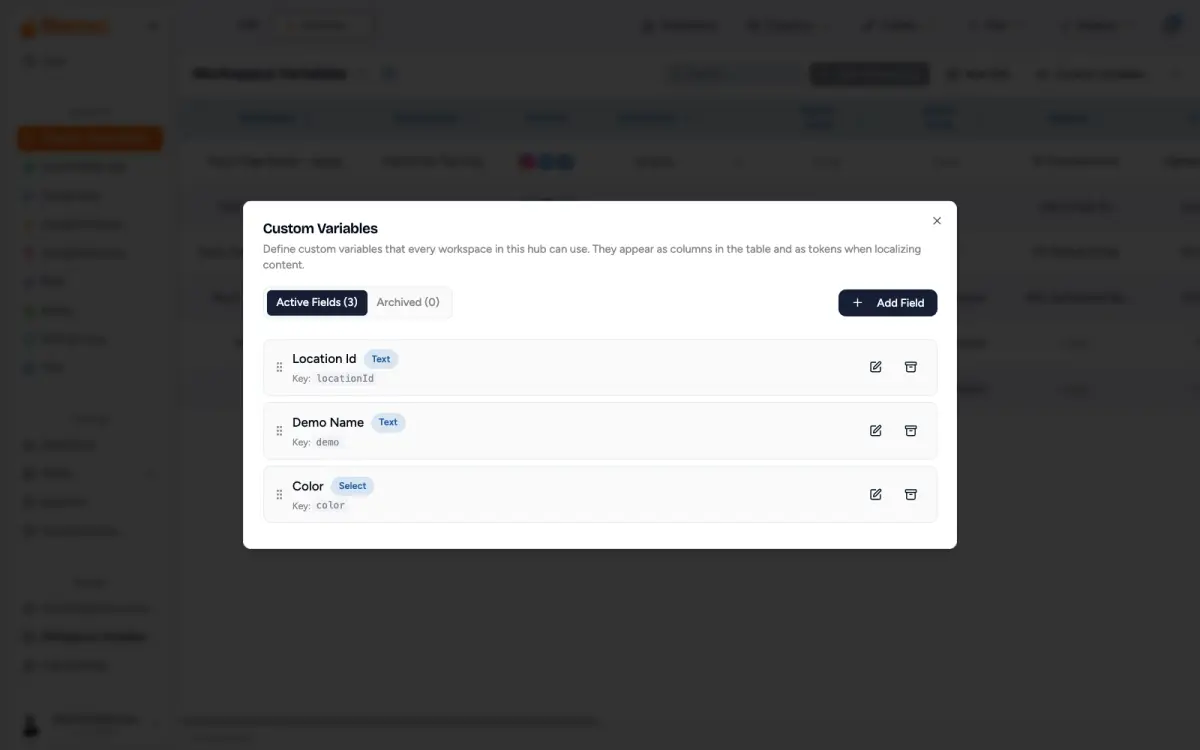
Click Add Field.
Configure the Field
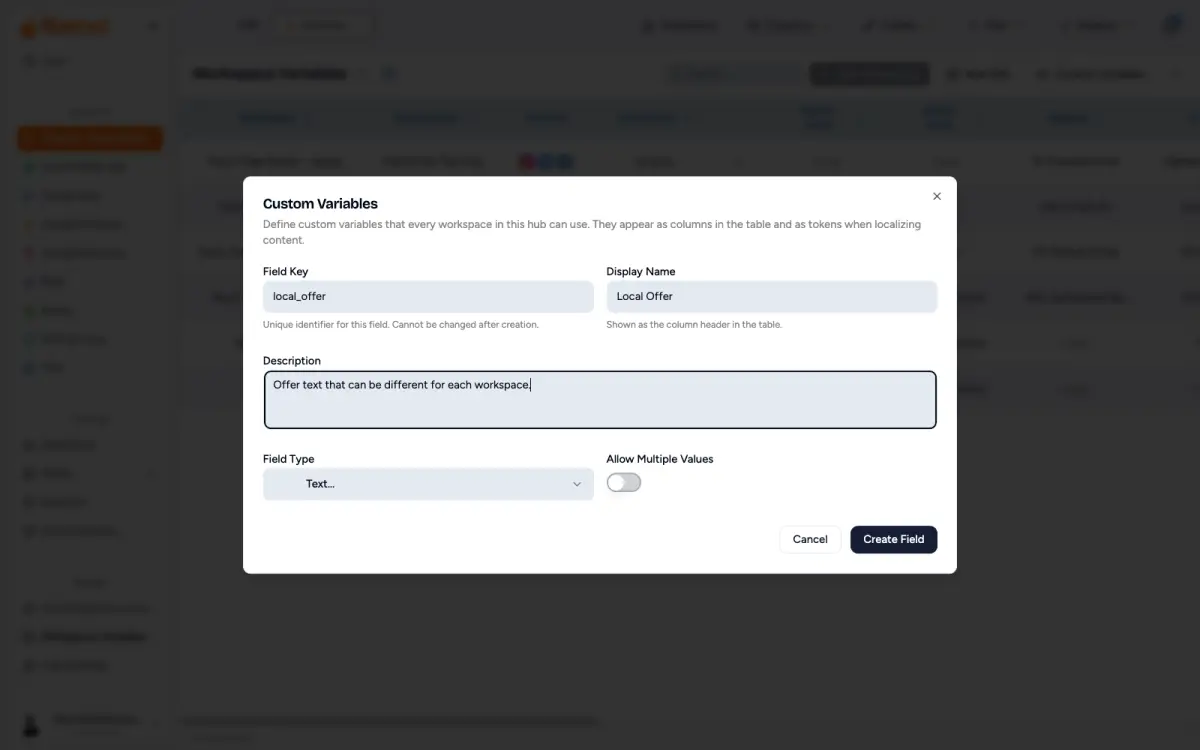
In the field editor, set these properties before you save:
- Field Key: the internal name, for example
store_manager. Use lowercase letters, numbers, and underscores. No spaces. The key is case-sensitive wherever you use it, so a field saved asStudio_Nameonly resolves as{{custom.Studio_Name}}. - Display Name: the label users see, for example
Store Manager. - Field Type: the kind of data this field holds. Use the Field types reference below if you are not sure which one fits.
- Required: turn this on when every workspace must have a value before the variable can be used reliably.
- Is Array: turn this on only when the field should hold multiple values.
Fill Values Per Workspace
Back on the Workspace Variables table, the new column appears. Click to edit inline, or open the workspace's detail to edit it alongside everything else. For many workspaces at once, use Bulk upload.
Use in Posts
Insert a Variable in Your Caption
In the post editor, place your cursor where the value should appear, then type {{ (or click Variables) and pick from the list. Variables are wrapped in double curly braces and resolve at publish time, per workspace.
Standard variables are always available:
code{{location_name}} {{address}} {{city}} {{state}} {{zip}}{{admin_name}} {{contact_email}} {{phone_number}} {{website_url}}
Your custom variables use the custom. prefix plus the field key:
code{{custom.store_manager}}{{custom.local_offer}}{{custom.specialty_dish}}
Confirm How It Resolves
A caption written with variables fills in each workspace's values at publish time. For example, this caption:
codeWelcome to {{location_name}}! Ask for {{custom.store_manager}} and mention this post for {{custom.local_offer}}.Visit us at {{address}}, {{city}}, {{state}} {{zip}}. Call {{phone_number}}.
resolves per workspace to:
"Welcome to Downtown Studio! Ask for Sarah Johnson and mention this post for 15% off your first class. Visit us at 123 Main St, San Francisco, CA 94102. Call (555) 123-4567."
Use in Paid Ads
Custom variables work in Playbook ad copy: headlines, primary text, descriptions, and CTA URLs. Use the same {{custom.field_key}} syntax. In the playbook editor, variables appear as styled pills. Use Preview to confirm rendering per workspace.
Common patterns:
{{custom.local_offer}} at {{location_name}}in a headline to localize the offer.Visit {{location_name}}, led by {{custom.store_manager}}.in primary text to personalize the pitch.{{custom.tagline}} - {{phone_number}}in a description to anchor the copy to the workspace.
Variable Not Resolving as Expected
- Variable not resolving: check the field key matches the saved key exactly, including its capitalization, the workspace has a value, and the field is not archived.
- Preview shows the placeholder: that workspace has no value for the field. Try another workspace or fill in the value.
- Variable not in the selector: you must be in Hub context. Workspace context only renders values, it does not list the variables.
Use in the Hub API
Custom variable values also come back through the Hub API, so a franchisor can join Flamel rows to its own systems. Every workspace object in /playbook-opt-ins and /spend-by-workspace carries a fields object keyed by field key, for example { "locationId": "STORE-0142" }. Use the field key on its own there, without the custom. prefix that captions and ad copy use. Archived fields are left out, and a workspace with no values returns {}.
Reference
Field Types
Choose the type that matches the data you want to store:
| Field Type | Stores |
|---|---|
| Text | Any free-form string, such as a manager name or tagline |
| A local contact email address | |
| Phone | A direct store line |
| Number | A numeric value such as years in business, capacity, or trial price |
| URL | A local booking or landing page link |
| Select | A value chosen from a dropdown of options you define, useful for region or store tier |
| Boolean | A true/false flag such as "has parking" or "offers delivery" |
| Address | An alternative address for the workspace |
| Object | Complex structured data when none of the other types fit |