Permissions
Who holds hub access, hub-wide feature toggles, and per-member solution access: what each permission grants and how to change it.
How Access Layers Fit Together
Hub admins get every enabled solution by default, and you can turn individual solutions off for a specific admin. For members, the sections on this tab work top-down: hub-wide toggles decide whether a feature exists at all, and the per-member grants decide who can use each solution.
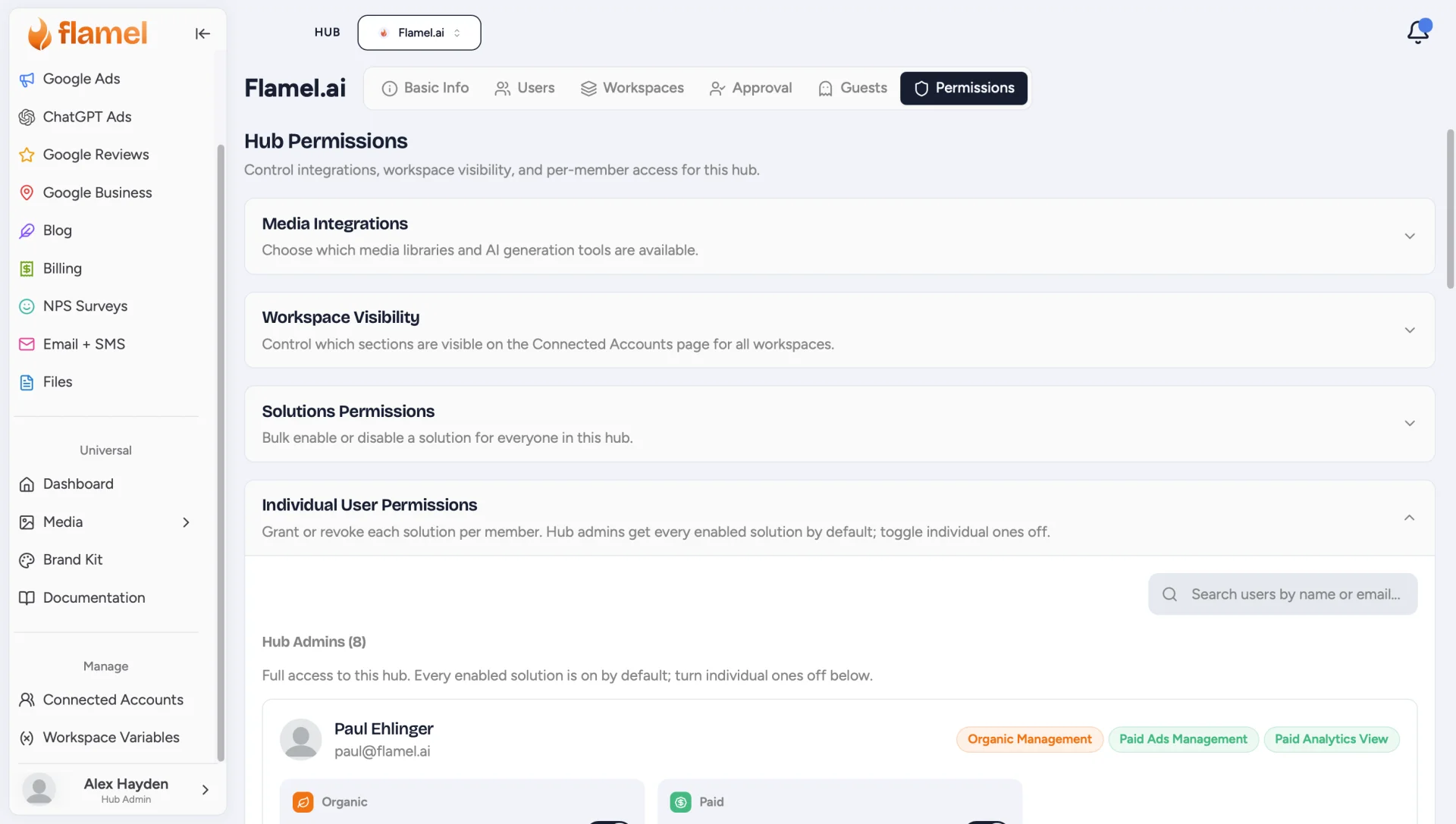
Open the Hub page and select Permissions to see four collapsible sections.
Who Has Hub Access
A person holds a hub because they are a hub admin on that hub. Hub admin is an explicit role. You grant it on the Users tab.
The role applies to one hub at a time. A person who administers one brand's hub does not hold another brand's hub.
Connection work needs hub admin access too. Only a hub admin can run the connection check, apply the automatic page-role fix, or start the Meta reconnection prompt. See Connected Accounts.
Access Changes Take Effect at Once
Flamel confirms hub admin access on every action. A new hub admin gets access immediately. A person you remove loses it immediately. Nobody has to sign out and sign back in.
Media Integrations
Hub-wide toggles for the tools inside Media:
- Pexels Stock Photos: the stock photo library.
- Giphy Integration: the GIF and sticker library.
- Media Generation: AI-powered image and media generation.
Off Removes the Feature Everywhere
These are not per-workspace settings. Switching one off removes it for every user across your hub.
Workspace Visibility
Controls which sections workspace users see on their Connected Accounts page:
- Meta Ad Account: the Meta ad account configuration section.
- Meta Pixel: the Meta pixel selection dropdown.
- Payment Status: payment issue banners when a problem is detected.
- Social Platforms: show or hide each platform (Facebook, Instagram, and the rest) across all workspaces.
Solutions Permissions (Bulk)
Enable or disable a solution permission for everyone in the hub at once. Each card shows how many members currently have the grant, with Enable All, Disable All, and a master switch.
What Each Permission Grants
| Permission | What it lets a member do |
|---|---|
| Organic Management | Create, edit, and manage organic content and posts. |
| Paid Ads Management | Create and manage advertising campaigns and ad configurations. |
| Paid Analytics View | View paid advertising analytics and reports. |
| Google Ads Management | Create and manage Google Ads campaigns and view their analytics. |
| ChatGPT Ads Management | Create and manage ChatGPT Ads campaigns and configurations. |
| Email Management | Create and manage email campaigns and templates. |
| Blog Management | Create and manage blog posts and content. |
| Files Management | Upload, organize, and share files. |
| GBP Management | Manage Google Business locations and settings. |
| Google Reviews Management | Manage Google Reviews and respond to customer feedback. |
| NPS Management | Manage NPS surveys, view feedback, and access analytics. |
| Luna Access | Use the Luna AI assistant in the workspaces this user can already access. Hub admins are on by default. |
A member without a grant does not see that solution. Only solutions enabled for your hub appear here; see Basic Info for what is enabled.
Each Ad Platform Has Its Own Permission
Meta, Google Ads, and ChatGPT Ads are separate grants, and the grant for one never carries the others:
| Ad platform | Permission that authorizes a change to live delivery or spend |
|---|---|
| Meta | Paid Ads Management |
| Google Ads | Google Ads Management |
| ChatGPT Ads | ChatGPT Ads Management |
Reading a platform is slightly wider than changing it. Paid Analytics View is enough to read Meta results, while changing Meta delivery or spend needs Paid Ads Management. Google Ads and ChatGPT Ads use the same permission for both.
A Missing Platform Grant Refuses the Change
Extending a schedule, dropping a start or end date, switching between daily and lifetime budgets, or pausing and restarting live campaigns is checked against the permission for that platform. A hub admin who holds Paid Ads Management but not Google Ads Management can read a Google Ads campaign and still be refused when changing it. The check runs before any write, so a refused change leaves the ad platform untouched.
Individual User Permissions
Grant or revoke each solution per member.
Find the Member
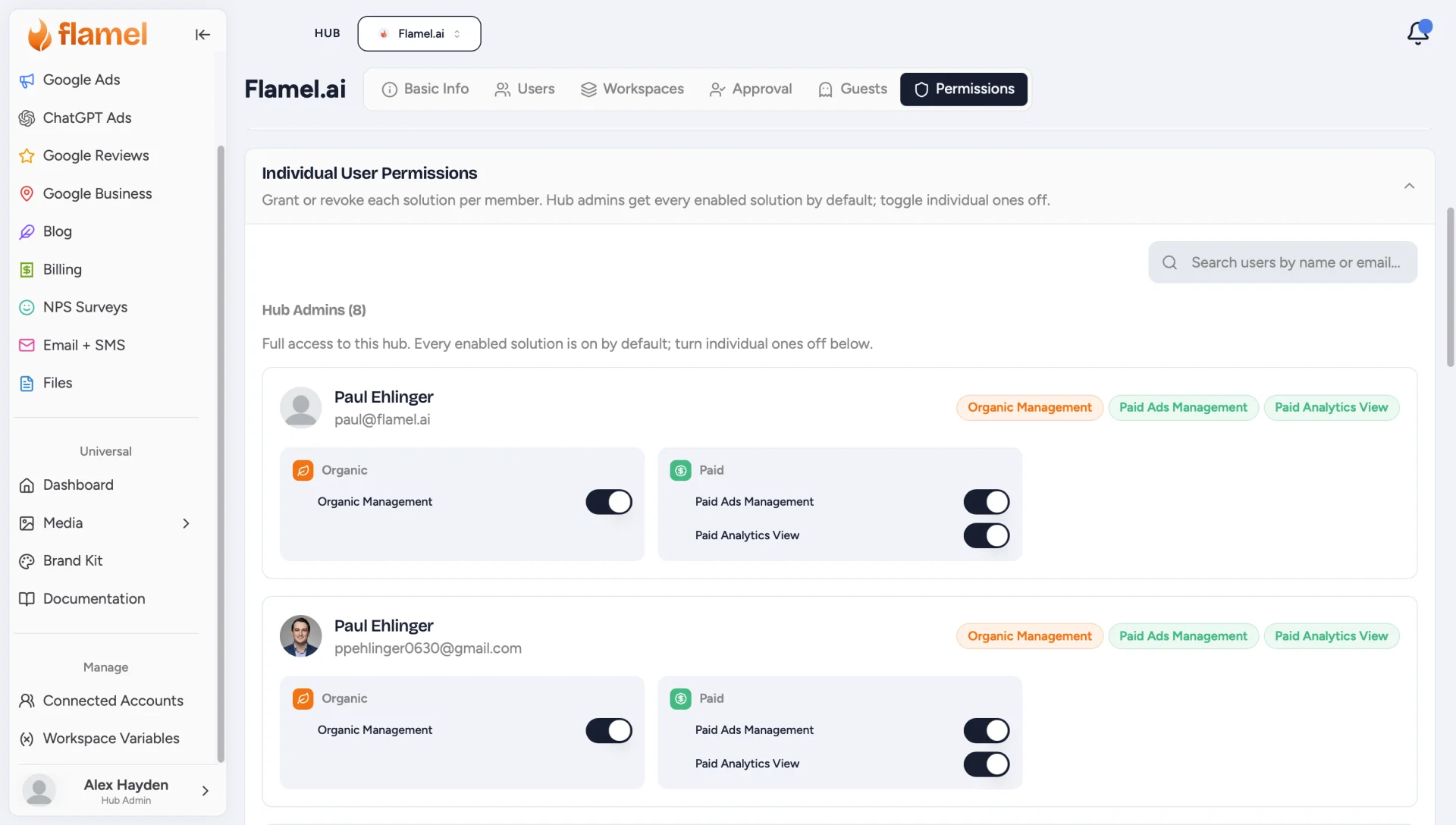
Search by name or email. Members are grouped by role.
Toggle Their Solutions
Each member's card lists every solution grouped by module. Flip the switches to grant or revoke access; changes apply immediately.
Hub Admins Default to Everything
Hub admins get every enabled solution by default. You can still toggle individual grants off for a specific admin here.
What Workspace Members Can Change
The grants above decide which solutions a person opens. Role inside a workspace decides what that person can change there.
| Role in a workspace | Workspace templates and content pillars |
|---|---|
| Admin | Create, edit, and delete |
| Member | Create, edit, and delete |
| Guest | View only |
Hub content stays read-only inside a workspace. A workspace user can copy a hub template into their own work. That user cannot edit or delete the hub original. See Templates.
Scope Follows Your Context
Flamel reads hub and workspace scope from the context you are in right now. Notifications, the Media Library, templates, and search results all match that context.
A hub admin who moves into a location sees that location's items. Switch back to the hub to see hub-wide items. See The Switcher.
Access comes from membership of the hub or workspace you are working in. Being a Flamel staff member, or sharing an email domain with a brand, never grants a hub or a workspace on its own.
Good Uses of This Page
- Hide a feature your network should not use yet.
- Reduce confusion for franchisees by trimming what they see.
- Roll out a new capability in stages: enable it for a few members first, then use Enable All.