Hub Quickstart
Day-one Hub setup: create the workspace, fill in Workspace Variables, connect the right assets, and hand off a launch-ready workspace.
This is the shortest Hub-admin path to a ready workspace. Do the setup every location needs first, then the Paid Ads steps only if your brand uses that solution.
Before You Start
You need Hub admin access and the basic location details for the new workspace. Each step below links straight to the matching page in studio.flamel.ai so you can open it in a new tab and follow along.
Core Setup
Create the Workspace and Invite the Owner
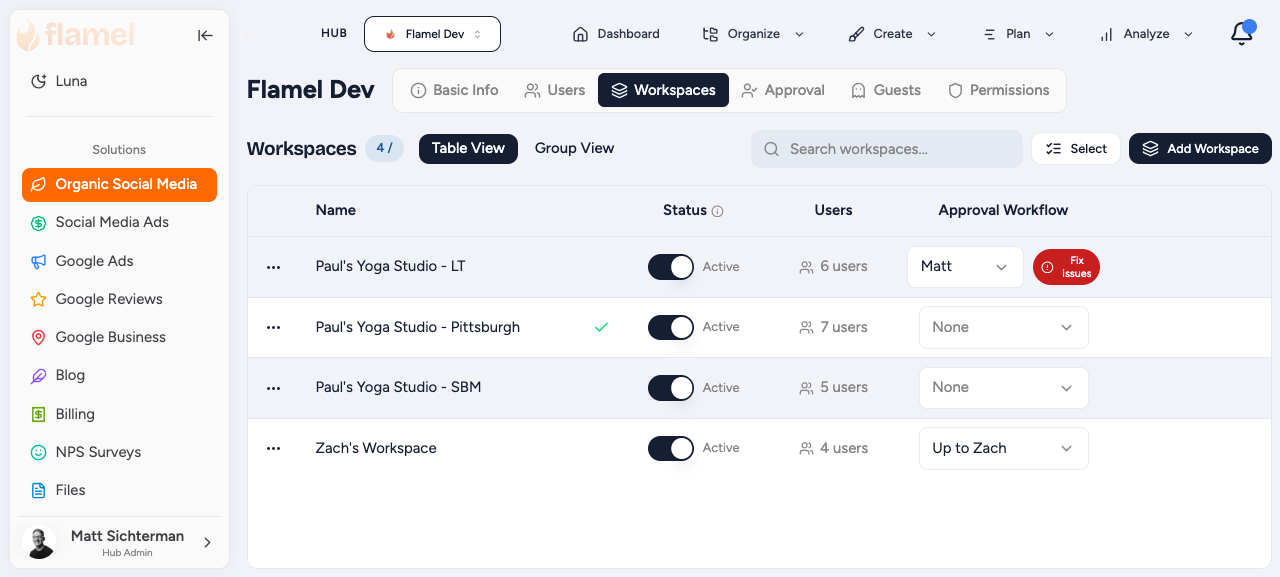
Open the Hub page, go to the Workspaces tab, create the workspace, then invite the workspace owner. The full sequence lives in Onboard a New Workspace.
Add Workspace Variables
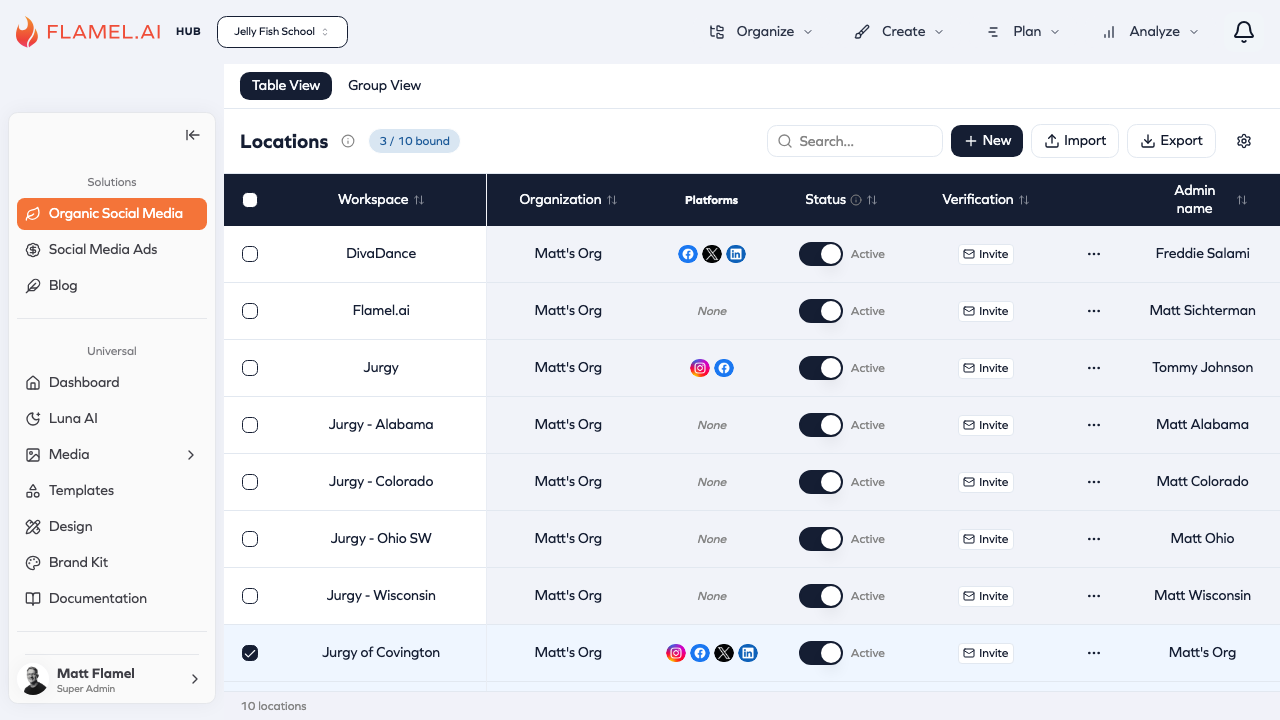
Workspace Variables are the data you collect about each of your Workspaces (your franchise locations). Flamel uses this data to localize content for every location, including organic social media captions, ad copy, and File variables, so the same template comes out tailored to each Workspace.
Open Workspace Variables in Studio and complete the address, phone, hours, and any custom fields your content or ads rely on. Learn more in Workspace Variables.
Connect the Accounts the Workspace Actually Needs
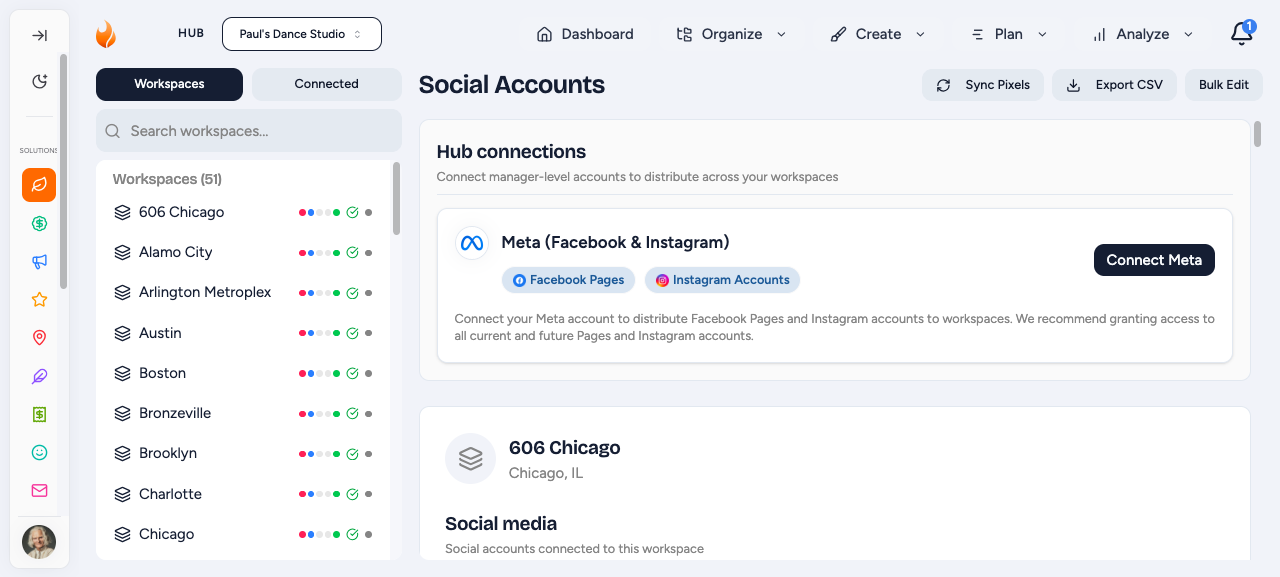
Switch into the workspace and open Connected Accounts in Studio to connect the required social pages and any paid-ad assets your team manages in Flamel. More detail in Connected Accounts.
If Your Hub Uses Paid Social Ads
Finish Ad Configuration
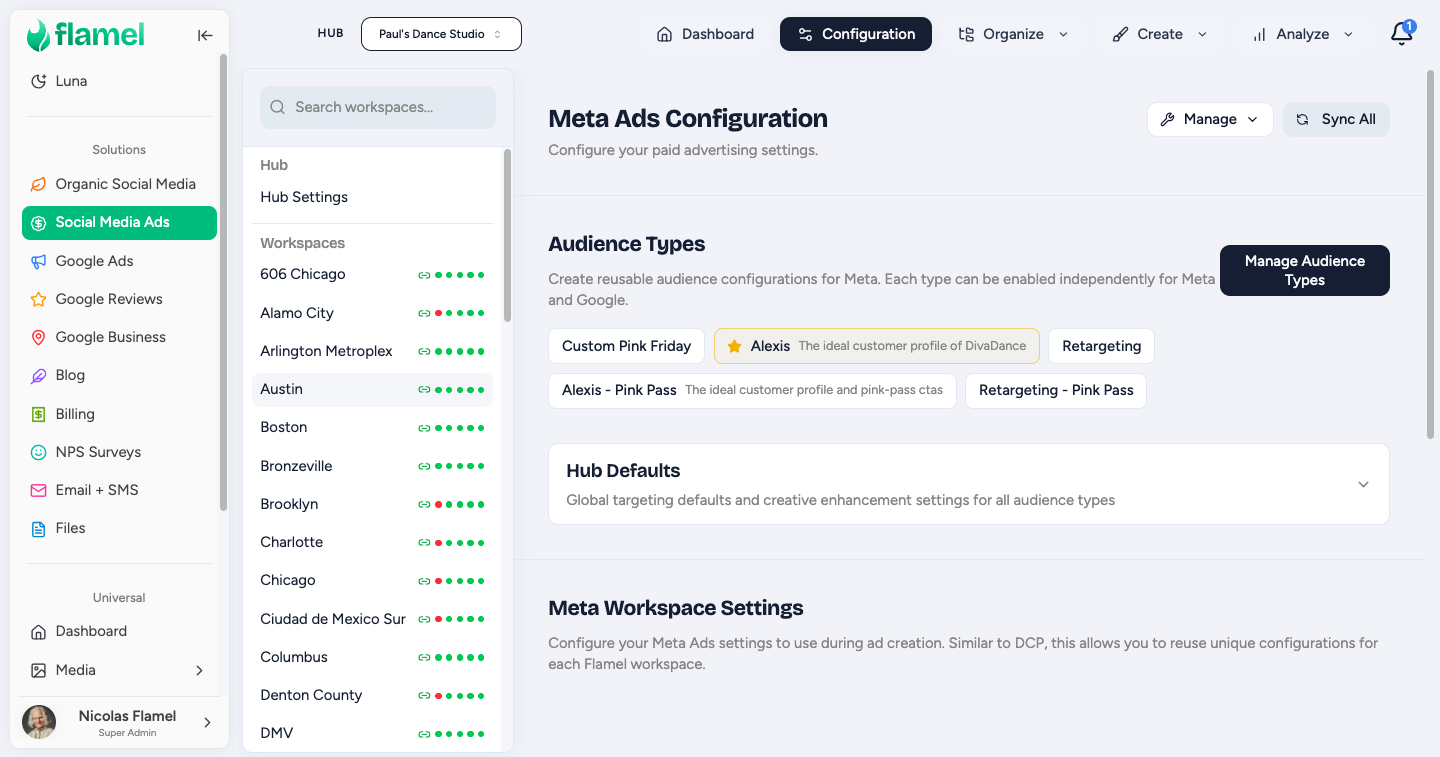
Open Meta Ads Configuration in Studio and make sure the workspace has the audience setup, defaults, and forms it needs before anyone opts into a playbook. Full reference: Ad Configuration.
Hand Off the First Playbook Launch
Once the workspace is ready, direct the owner to Opting Into Playbooks or walk them through the playbook opt-in walkthrough.