Workspace Quickstart
Day-one setup for one workspace: connect accounts, learn your daily tools, and launch your first post or playbook.
This is the day-one path for a single location: connect the workspace, then complete the first task your Hub expects.
Before You Start
You need a workspace, a login, and at least one solution enabled for your location. If your Hub sent you a setup link or kickoff email, keep it open while you work. Each step below links straight to the matching page in studio.flamel.ai so you can open it in a new tab and follow along.
Sign In to Your Workspace
Open the personal invitation sent to your email address. Invitation links work once and expire after seven days. If you see Welcome to Flamel, set your own password or choose Skip for now to use Google with the same email address. Bookmark the login page for future visits.
For an expired, used, or invalid link, follow Sign-in Links and Login Help. Once signed in, confirm the workspace name in the Switcher before connecting accounts or creating content.
Core Setup
Connect Your Accounts
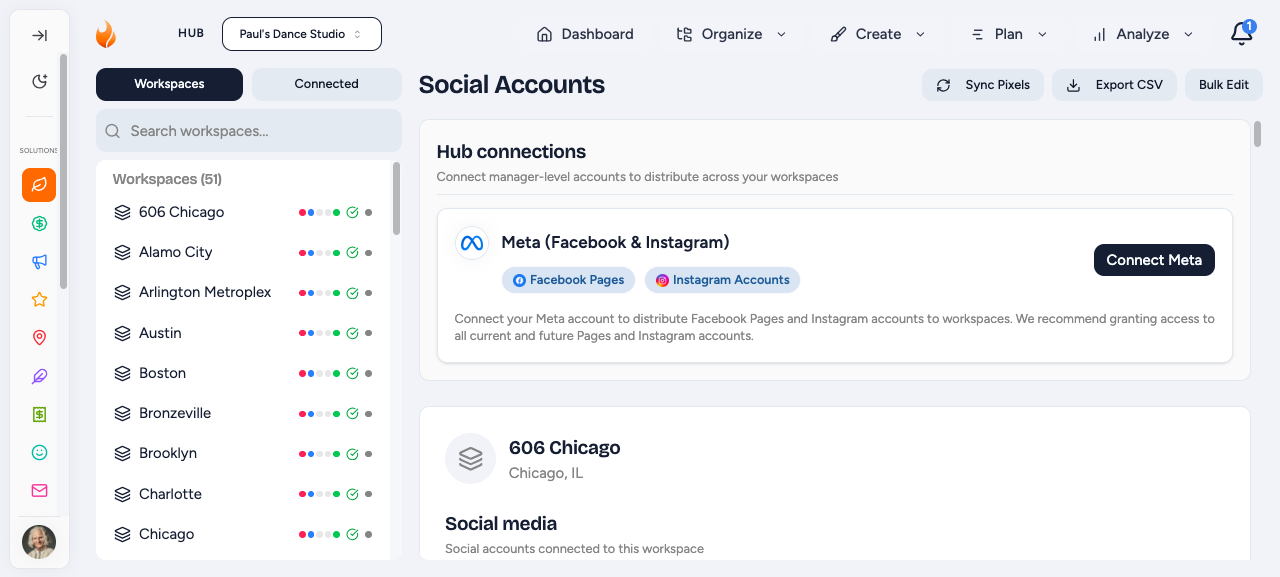
Open Connected Accounts in Studio and connect the platforms your location actually uses. More detail in Connected Accounts.
Most teams start with:
- Instagram through Facebook
- Any other platform they actively post to, such as LinkedIn, TikTok, or X
Learn Your Day-to-Day Pages
The pages most workspace owners come back to are:
- Content Calendar in Studio for scheduling and reviewing posts (guide).
- Connected Accounts in Studio when a platform needs to be reconnected (guide).
- Opting Into Playbooks if your Hub runs paid campaigns through Flamel.
Launch Your First Organic Post
Open the Content Calendar in Studio, click a day, write the caption, attach media, choose the accounts, then schedule or publish.
If Your Hub Uses Paid Ads Through Flamel
Review Your Local Ad Details
If your Hub asked you to use Paid Social Ads, open Ad Configuration in Studio and confirm your local targeting details, website URL, and lead form are correct. Full reference: Ad Configuration - Workspace Guide.
Opt Into Your First Playbook
Open the Playbook Shop in Studio, pick the playbook your Hub recommended, and work through the checklist. Use the opt-in walkthrough if you want the full screen-by-screen version.
Related Articles
Schedule posts, manage drafts, and reply to comments.
Use playbooks, ad configuration, and paid reporting if your Hub enabled them.
Reconnect platforms and confirm everything stays green.
Full checklist if your Hub wants a broader setup pass.