Meta Won't Give You More Ad Accounts
What to do when Meta support says your business is not eligible for more ad accounts.
For Hub Admins
Meta controls how many ad accounts a business can create. Flamel cannot raise the limit, but you can keep running ads while you ask.
Meta caps how many ad accounts a Business Manager can open, and its support chat often says "not eligible" without a reason. The cap is rarely final: you need a person to review your account.
Keep Running While You Wait
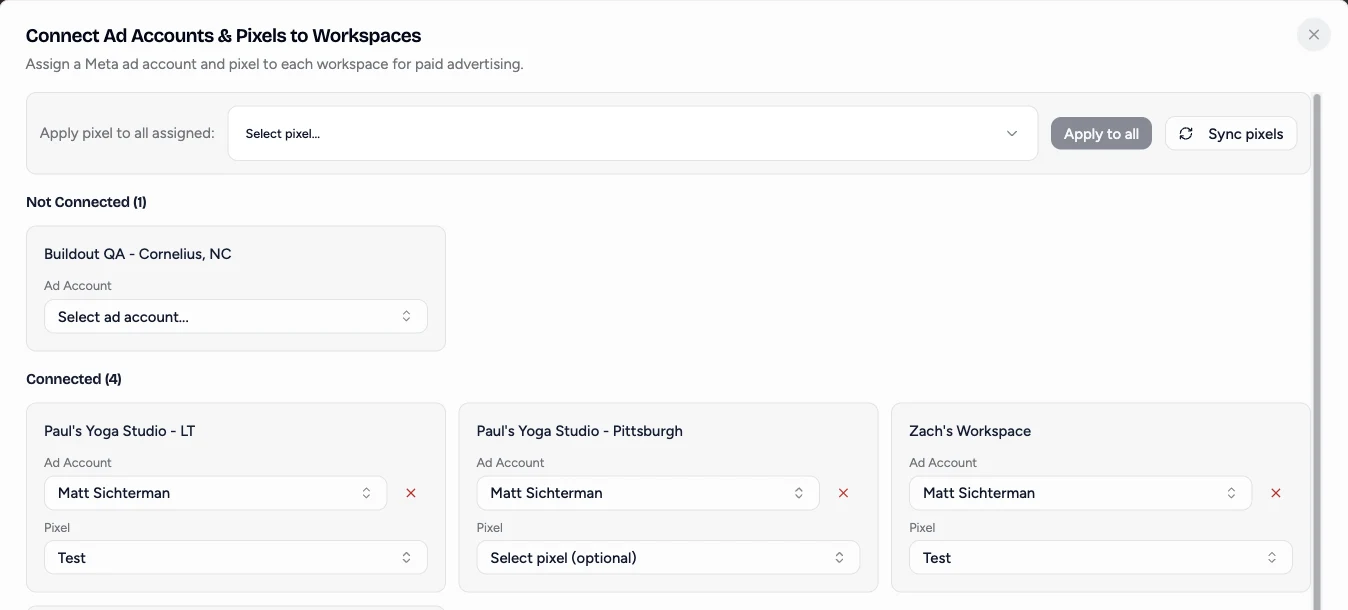
You do not need one ad account per location to give each its own targeting. Several workspaces can share one ad account and Page, each with its own configuration and landing page. See Two Locations, One Ad Account. When the new accounts arrive, a hub admin assigns each workspace its own account under Connected Accounts, then Connect Ad Accounts. Each workspace's configuration stays as it is.
Ask Meta for More Accounts
Get past the chatbot
Open Meta Business Support and start a chat. When the automated assistant answers, ask to be connected with a human. Meta may offer a phone call. Expect to spend about an hour.
Explain the business need
Say how many locations you run and that each needs its own ad account for separate billing, targeting, and reporting. Mention that you advertise for a franchise network.
Try a Meta Pro if support refuses
Meta's Pro programs (Marketing, Technical, Creative, and Support Pros) are separate from the support chat. Meta Support Pro usually routes you back to the chatbot. A Meta Technical Pro or Creative Pro is often more helpful. Say that support closed your case without help and how many locations you manage.
Keep asking
Answers vary by agent. If one says no, open another request. Meta does grant additional accounts after a person reviews the business.