Lead Ad Terms Not Accepted
A lead-objective playbook fails to deploy with Meta error 100:1815089. Accept Meta's Lead Generation Terms for the Page, then re-run.
When a lead-objective ad fails to go live with Meta error 100:1815089, the Facebook Page it runs on has not accepted Meta's Lead Generation Terms of Service yet.
The terms are a one-time acceptance, per Page, by a Page admin, directly on Facebook. There is no way to accept them from Flamel or through Meta's API, so the fix is always a quick manual step on Facebook.
Per Page, by a Page admin
The Lead Ad Terms are tied to each Facebook Page, not to your ad account or your Flamel login. Each workspace Page accepts them once, and the person who accepts must be an admin of that Page.
Accept the Lead Ad Terms
Open the Lead Ad Terms Page
Logged into Facebook as an admin of the Page (for example, Paul's Yoga Studio), go to facebook.com/legal/leadgen/tos.
Select the Right Page
Use the Page dropdown to pick the Page the ad runs on, for example Paul's Yoga Studio. Because the terms are per Page, confirm you have selected the exact location running the lead ad.
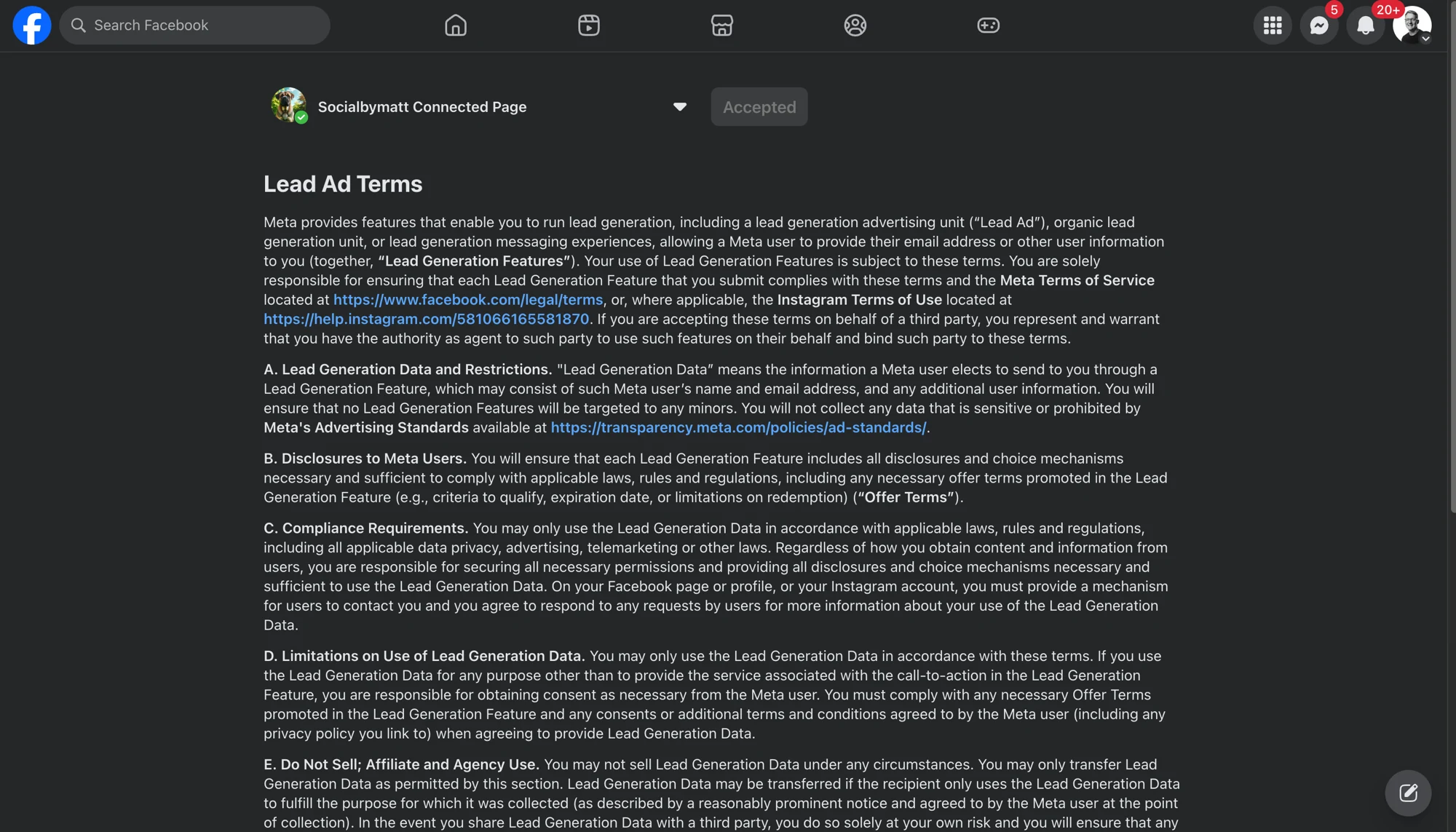
Click I Agree
Once accepted, the status shows Accepted. Re-run the playbook deployment and the lead ad goes live.
Still Failing After Accepting?
Confirm the person who accepted the terms is an admin of the same Page whose connection Flamel holds. If a different person accepted, or the Page connection in Flamel lacks admin access, reconnect Meta with full Page access and try again.