Lead Forms
Collect leads inside Facebook and Instagram with Meta Instant Forms.
Lead forms capture contact info without anyone leaving Facebook or Instagram. When someone clicks the ad, the form opens with their profile data prefilled, which converts far better than a landing-page form. Set one up, then design it to convert and find your leads.
Before you start
Lead forms live in Meta and Flamel syncs them in, so you need an active Connected Accounts connection to the Facebook Page that owns the form. Hub admins build the templates; workspaces use their own per-Page copies.
A Meta Instant Form is a native Facebook/Instagram survey that opens inside the app. It lives on a Facebook Page and is owned by that Page's admin. Because each location has its own Page, each location needs its own copy of the form so leads route to the right inbox.
Branching Messenger forms are different
Meta retired the way outside tools create branching lead forms for Messenger chats. Author those in Meta Business Suite, then sync the form into Flamel and select it per workspace. See Message Templates.
Set Up a Lead Form
The path differs depending on whether you run the hub (franchisor) or a single workspace (location). Pick your role below.
Build the form template in Meta
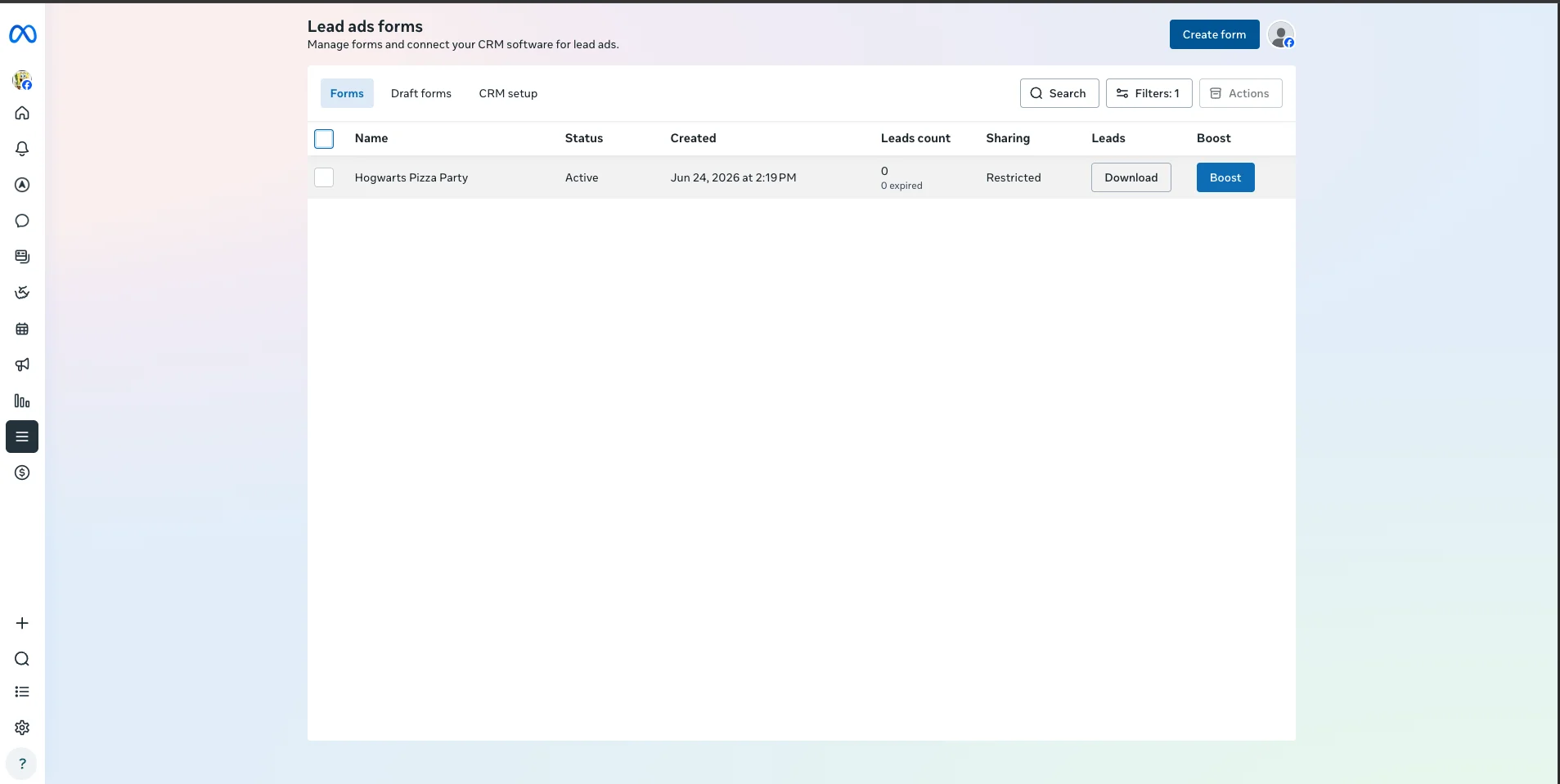
In Meta Ads Manager, go to All Tools, then Instant Forms, then Create Form. Give the form a clear name, add your intro, and add only the fields you truly need. Standard pre-filled fields (name, email, phone) are zero-friction because Meta fills them from the user's profile. Write the Thank You screen so people know exactly what happens next (for example, "we'll call within 24 hours"), then publish.
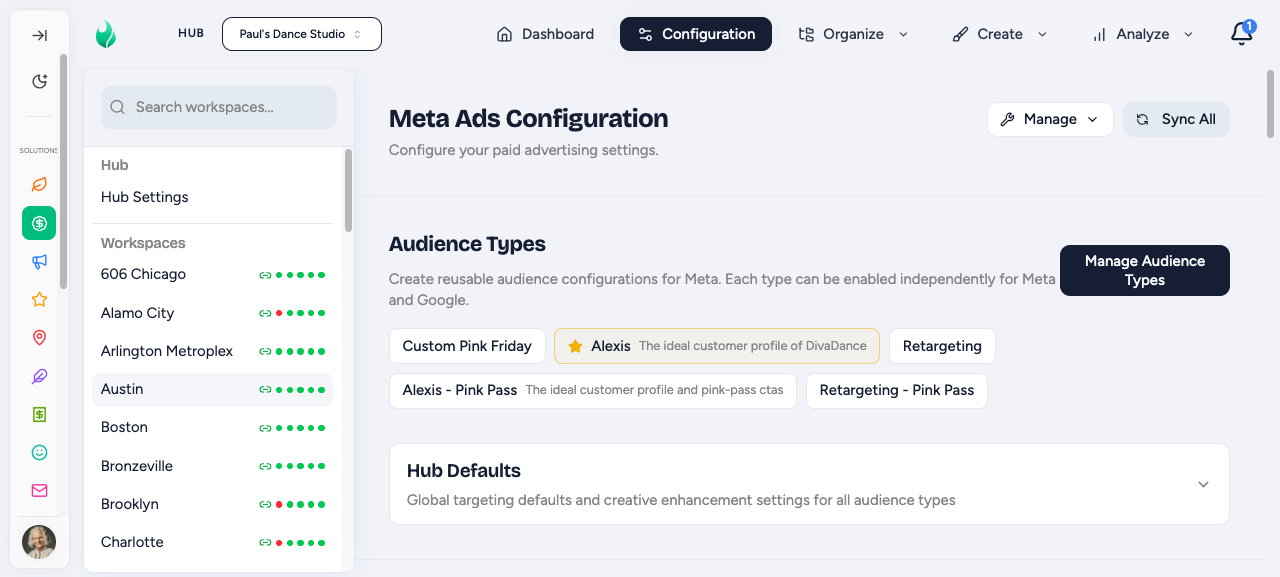
Copy the form to every workspace Page
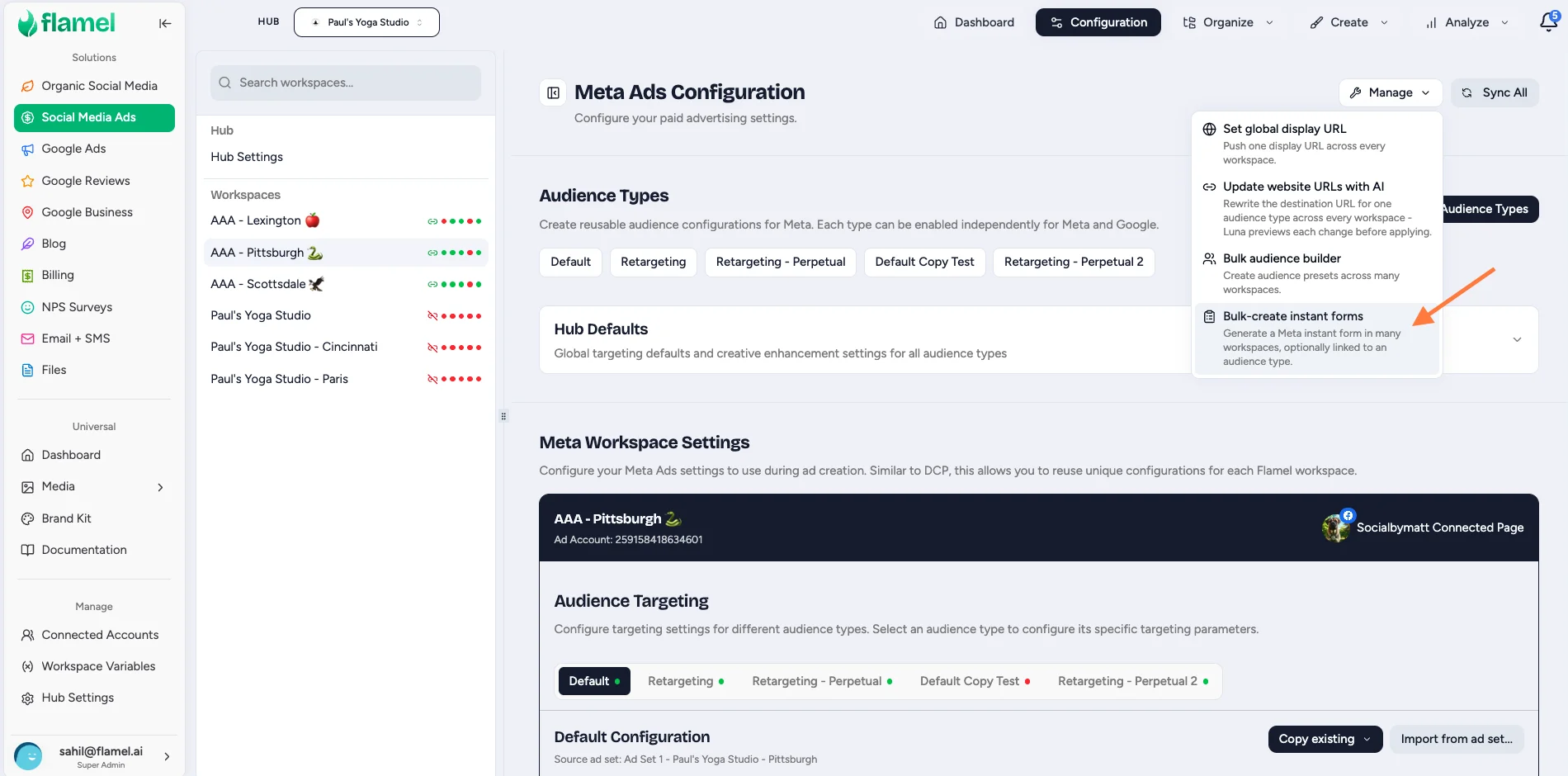
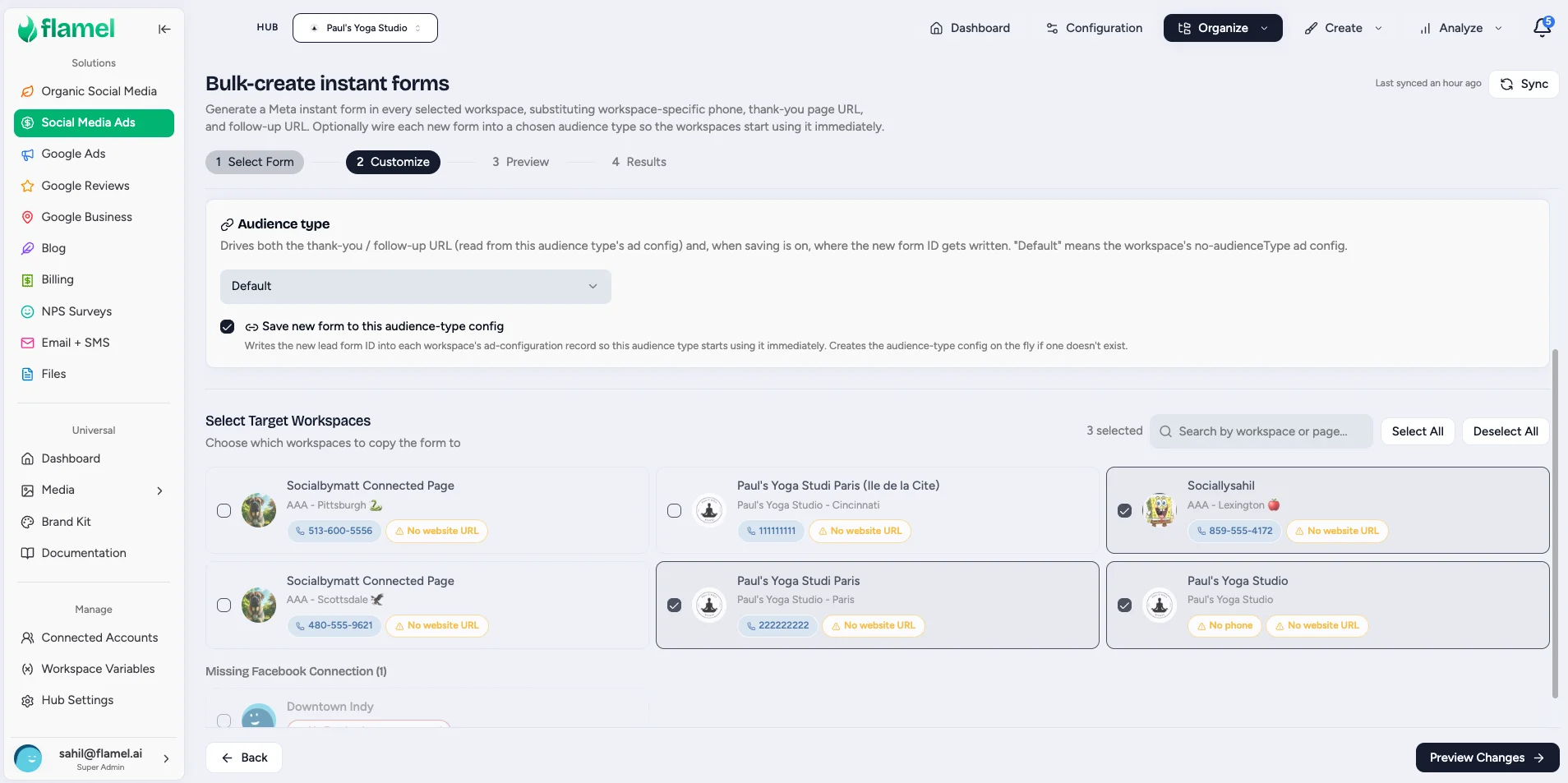
For consistent data collection across the network, build the form once, then go to manage and click Bulk-create instant forms.
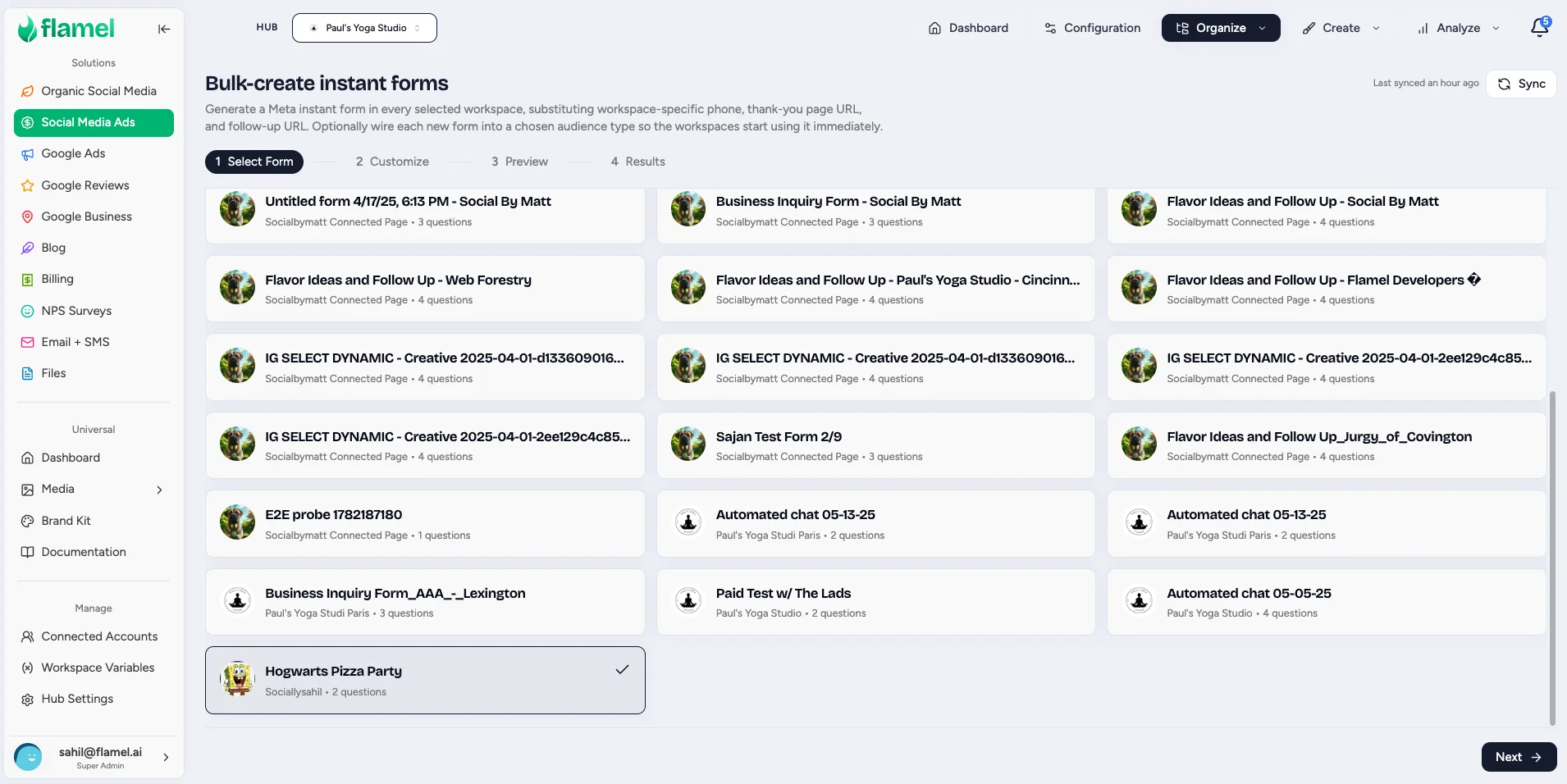
Select the Source Form to copy, choose Target Workspaces, click Preview Changes, then use Copy to Workspaces to send it to those workspace Pages. Each workspace ends up with its own copy that routes leads to its own Page Inbox.
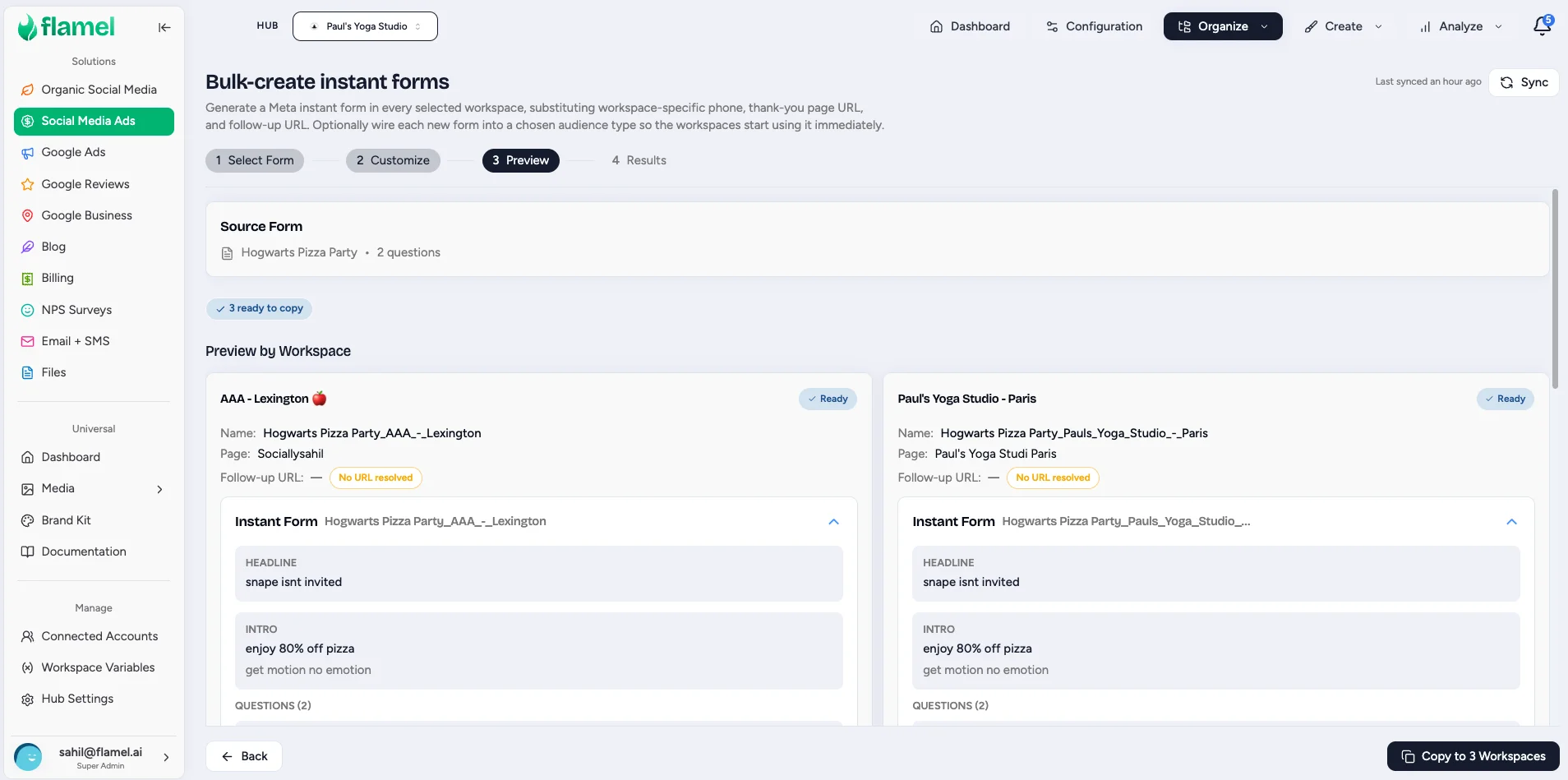
Safe to run again
A copy no longer fails when a workspace already has the form. Flamel reuses the form that is already on that Page and still links it to the audience type, so you can add locations and run the copy again.
Flamel also reads the connected account that owns the source form, so the copy completes without a manual token step.
Why a per-Page copy
Each Facebook Page needs its own copy of the form so leads route to the correct location's inbox or CRM. A single shared form cannot split leads by location.
Reference it in a lead-objective playbook
Create the playbook with Leads as the objective. The audience type's lead form is used automatically at deploy time. See Lead capture playbooks for the full flow.
Confirm your form is on your Page
Your Hub admin copies the lead form to your Facebook Page. If you do not see it yet, ask your Hub admin to run Copy to Workspaces for your location. You can build your own in Meta Ads Manager (All Tools, then Instant Forms, then Create Form) if you manage your own forms.
Sync the form into Flamel
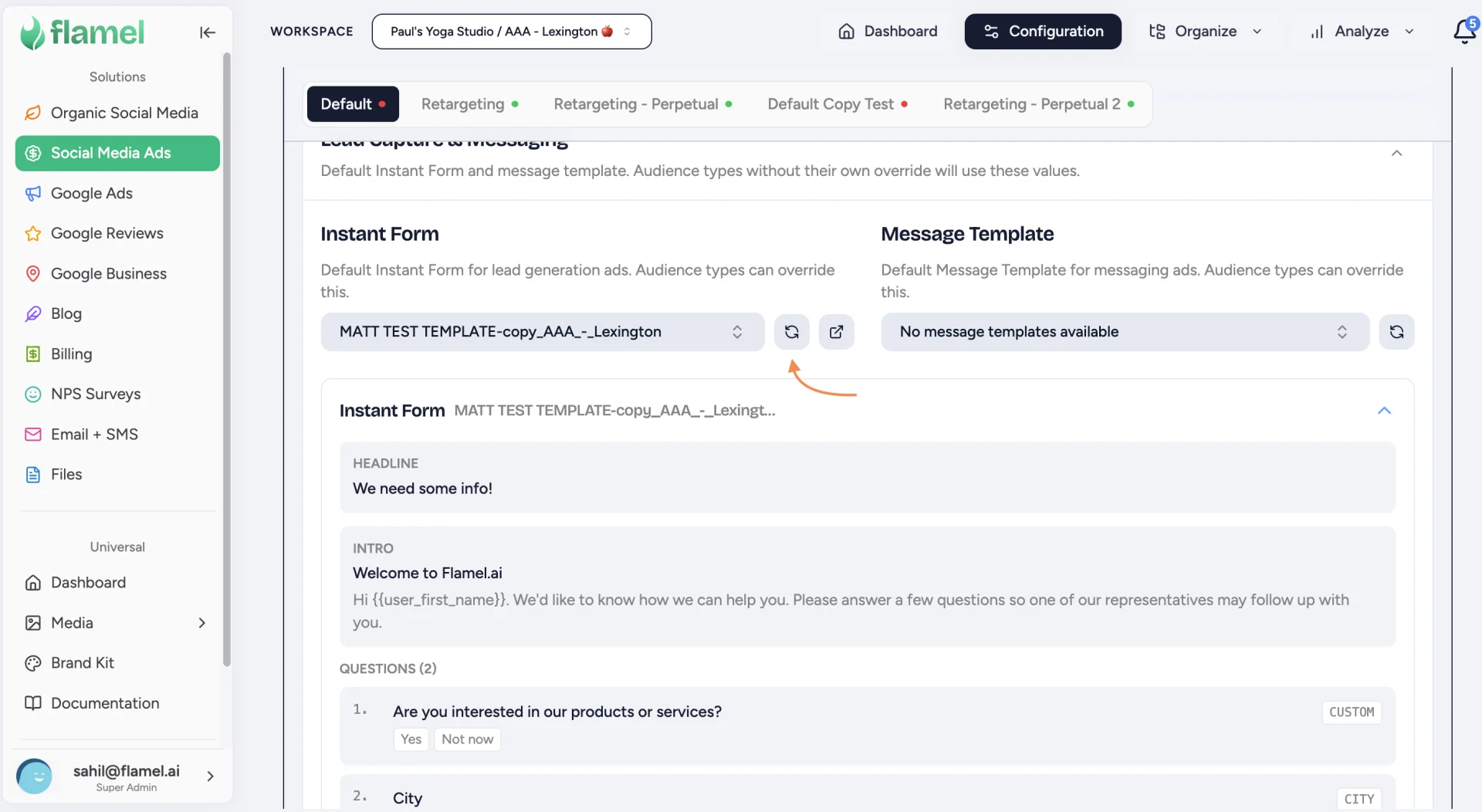
In your workspace, open Paid Social Ads, then Ad Configuration, then Lead Capture, and click Sync Forms. Flamel pulls the forms that live on your Page into the platform.
Form not showing after sync?
Confirm the form is attached to the correct Facebook Page in Meta, and that your Connected Accounts connection is active. Only forms on Pages you have connected to Flamel will appear.
Attach the form in Ad Configuration
Select the synced form you want as the active lead form for the audience type. This tells Flamel which form to use when an ad goes live. See the Ad Configuration walkthrough for the full Lead Capture field reference.
Reference it in a lead-objective playbook
Create the playbook with Leads as the objective. The audience type's lead form is used automatically at deploy time. See Lead capture playbooks for the full flow.
View Leads In Flamel
Open Paid Social Ads, then Analyze, then Leads. This is the full leads table: every synced Meta lead you have access to, across all campaigns and all dates, rather than only the period a dashboard happens to be showing.
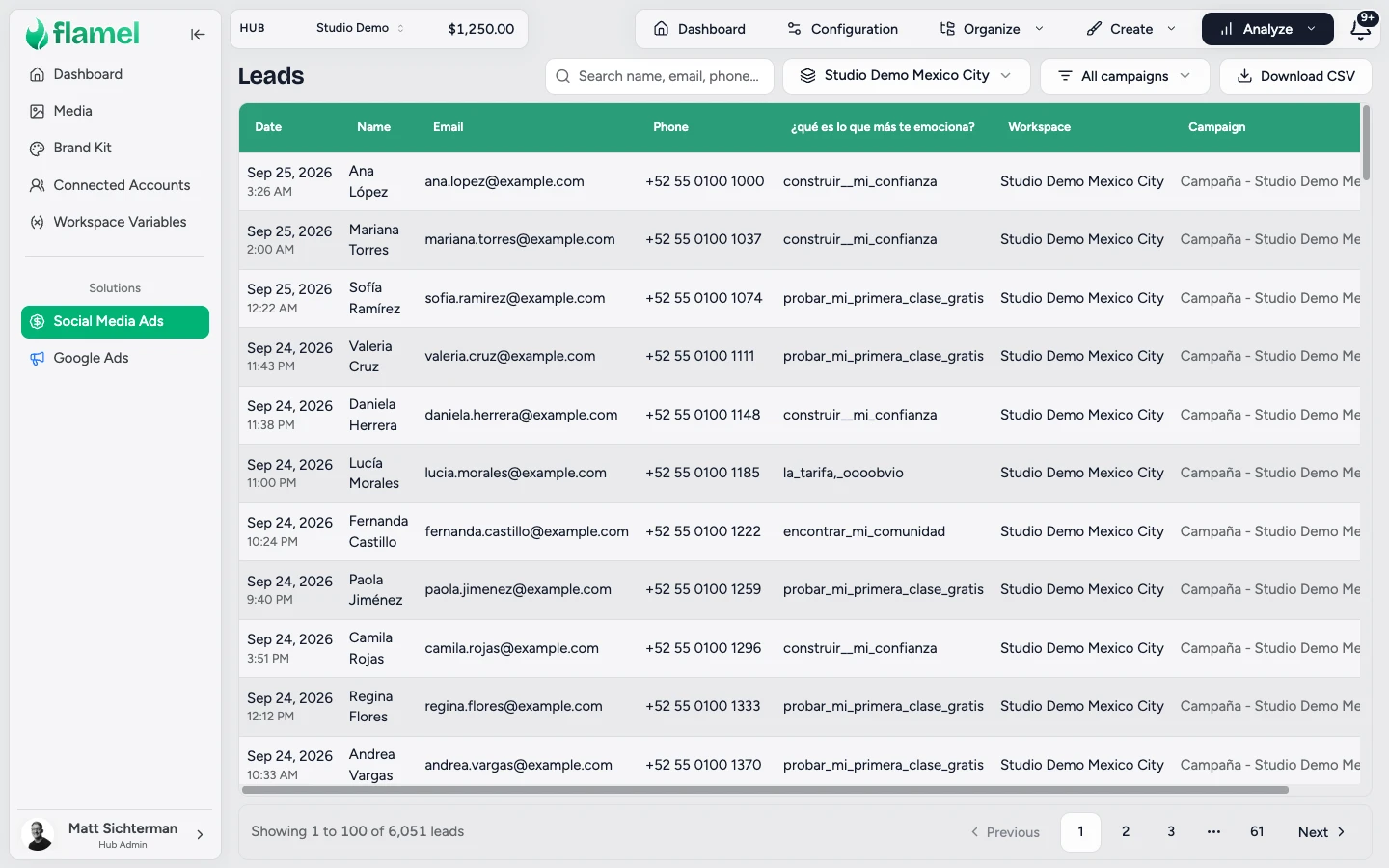
From there you can:
- Search by name, email, or phone.
- Filter to one campaign, and, as a hub admin, to particular workspaces.
- Page through the results and export them as a CSV.
To review one form on its own, open it from your lead forms list and select its Leads tab. That view needs the Paid Ads Management permission, while the Leads page needs paid analytics access.
Forms In Another Language
Meta stores every answer under the question as it was written, so a Spanish form saves nombre and correo_electrónico where an English form saves name and email. Flamel reads both, so the Name, Email, and Phone columns fill in for a Spanish form instead of showing a dash. When your browser language is Spanish, those headers appear in Spanish as well.
Every question that is not a contact field gets its own column, so the answers to a question such as "¿qué es lo que más te emociona?" sit beside the contact details.
Reference
Design a Form That Converts
The single biggest lever on lead volume is form length. Cut every field you can live without.
| Principle | Why it matters |
|---|---|
| Keep it short | Name plus email plus phone is usually enough; more questions means fewer leads. |
| Prefer pre-filled standard fields | Name, email, phone, and city are zero-friction because Meta fills them from the user's profile. |
| Save custom questions for the end | Standard fields build momentum, so put any thinking fields last. |
| Set Thank You expectations | Tell people exactly what happens next, for example "we'll call within 24 hours." |
Follow Up Fast
Leads contacted within minutes convert far better than hours later. Set up:
- Page Inbox notifications or assigned responders.
- CRM integration (Meta-native or via Zapier).
- An auto-responder email so the lead knows they were received.
Related Articles
Build a Leads-objective playbook that uses your synced form at deploy.
Field-by-field reference for the Lead Capture section of Ad Configuration.
Walk through configuring a workspace's ad settings end-to-end.
Author the Click-to-Messenger welcome message, or select a synced branching form.
See all playbook types and how paid campaigns are structured in Flamel.