Performance Alerts
Automated notifications when a campaign metric crosses a threshold, so you catch problems before they waste budget.
Performance alerts watch your paid campaigns and notify you the moment a metric moves past a threshold you set. Instead of checking dashboards manually, the signal comes to you, so you catch wasted spend, stalled delivery, or a winning creative early.
Before you start
Alerts watch live campaign data, so you need paid campaigns running first. Deploy a Playbook to your Meta ad account, then come back here to set up monitoring.
Quick Start
Create your first alert in a few steps.
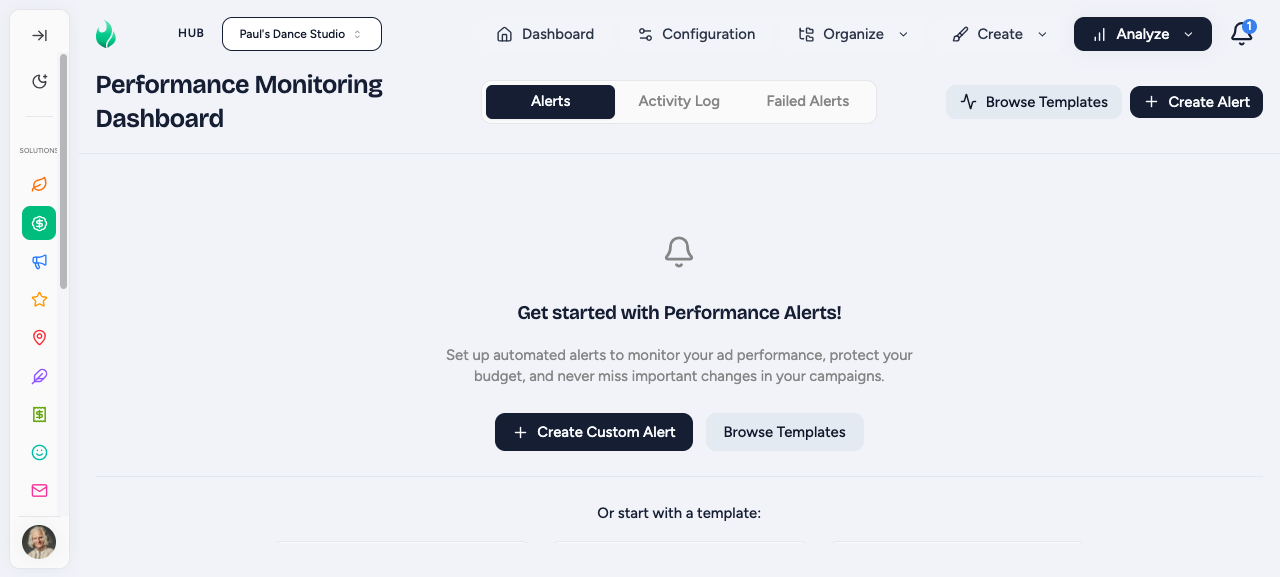
Open Social Media Ads > Analytics > Performance Alerts and start from a starter template by clicking Browse Templates or a custom alert by clicking Create Custom Alert.
For Alert Templates
Once in the Alert Templates library, you can navigate by topic: Performance, Budget Control, Efficiency, Lifecycle, or Optimization.
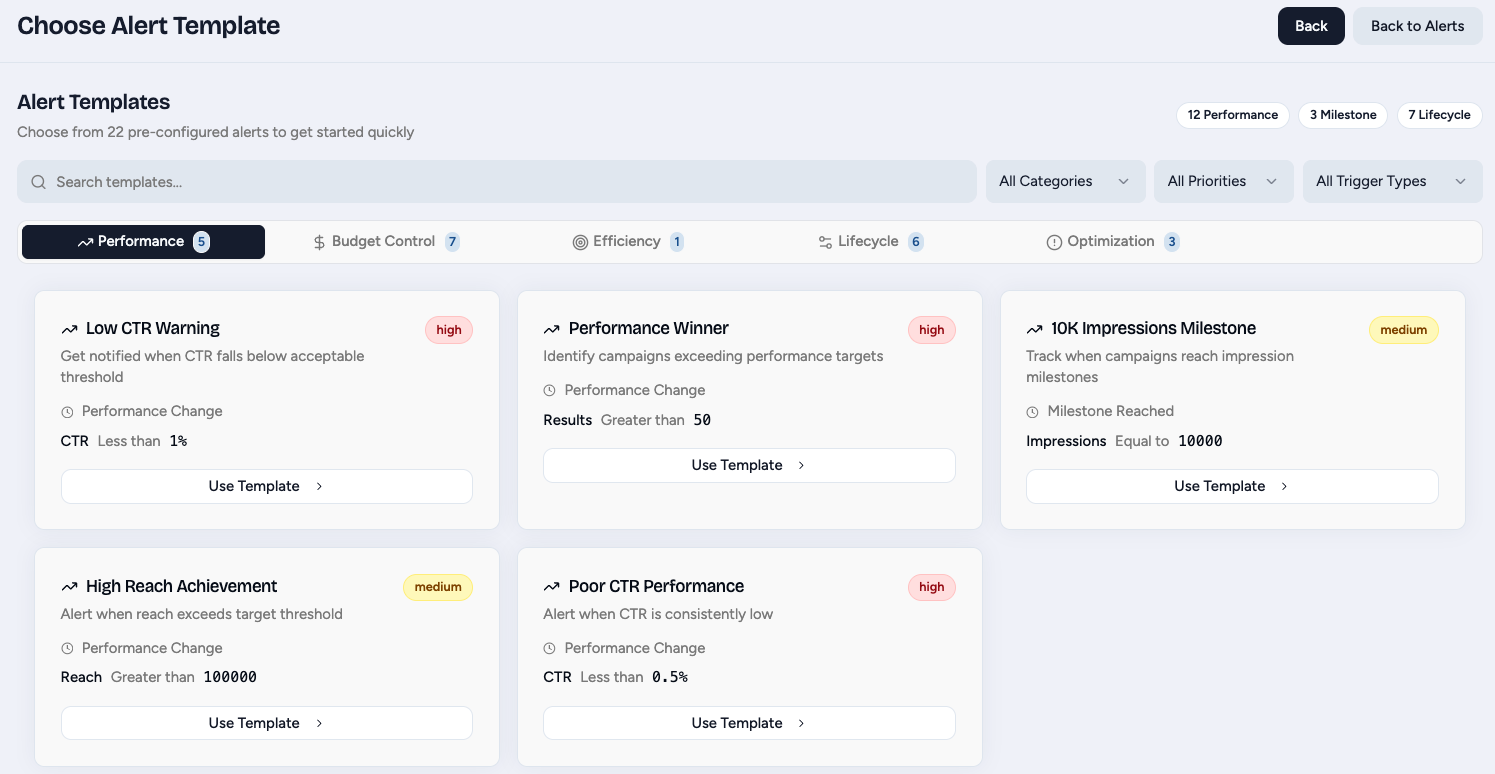
To use one, click Use Template. It will fully create the alert and just ask you to select which channel you would like to be notified when then alert is triggered and to Review/Create the alert.
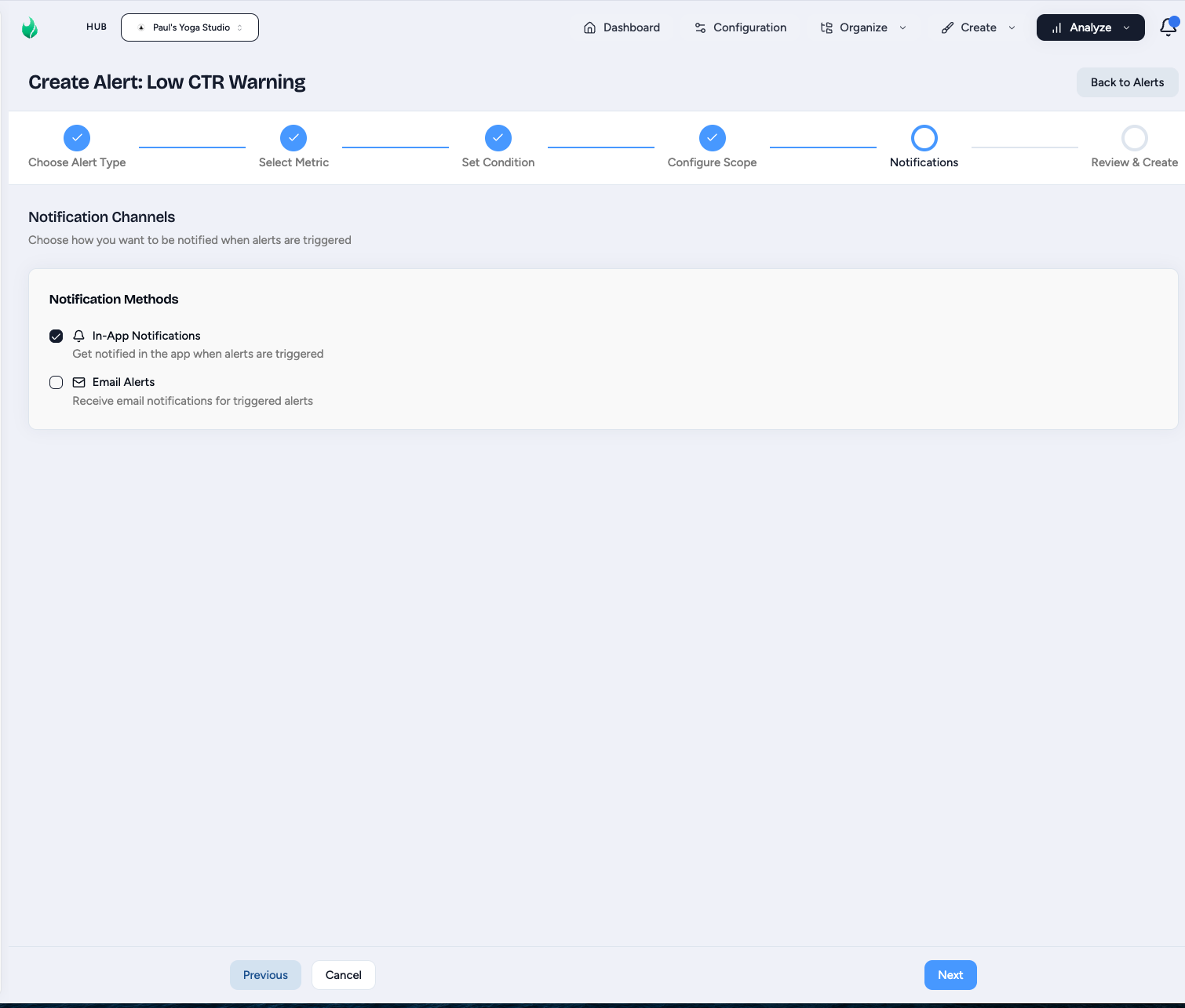
For a Custom Alert
Click Create Custom Alert.
- Select the Alert Type.
- Select the Metric to Monitor.
- Set the Condition. You can have this alert trigger based on the valule going above, falling below, staying within a range, or going outside of a range or threshold value.
- Configure the Scope. Do you want the alerts to trigger based on a Campaign, Ad Set, or Ad level. And what is the time window it should compare against.
- Select your notification channels.
- Click Create Alert.
See Creating alerts for the full walkthrough.
Guides
Build alerts from scratch or starter templates, set thresholds, and choose your notification channel.
Reference for every alert type: Performance Change, Milestone, Creation, and Change.
Edit, pause, or delete alerts after they are created.
Ad Account Payment Alerts (Hub admins)
Performance alerts above watch campaign metrics. Separately, Hub admins can turn on ad account payment alerts to hear about billing problems that can silently pause campaigns. When on, your hub gets an email whenever a workspace's Meta ad account hits a payment issue.
Toggle it from Paid Social Ads > Health Checks, or from Notification Settings in the notifications bell (top-right of the app). Each user can also control their own copy of this email with Allow Ad Account Payment Alert Emails in Profile.