Choose posts to boost
Identify organic social posts worth putting paid budget behind. Learn what makes a post a strong candidate for boosting and how to find top-performing content in Flamel.
For Hub Admins and Workspace Owners
Hub admins provide a boosted-post playbook. Workspace owners choose an eligible existing Facebook or Instagram post during opt-in.
Use organic results to find a post worth testing with paid distribution. A strong organic result is a useful signal, but does not guarantee paid results.
Choose a post
Open Top Content
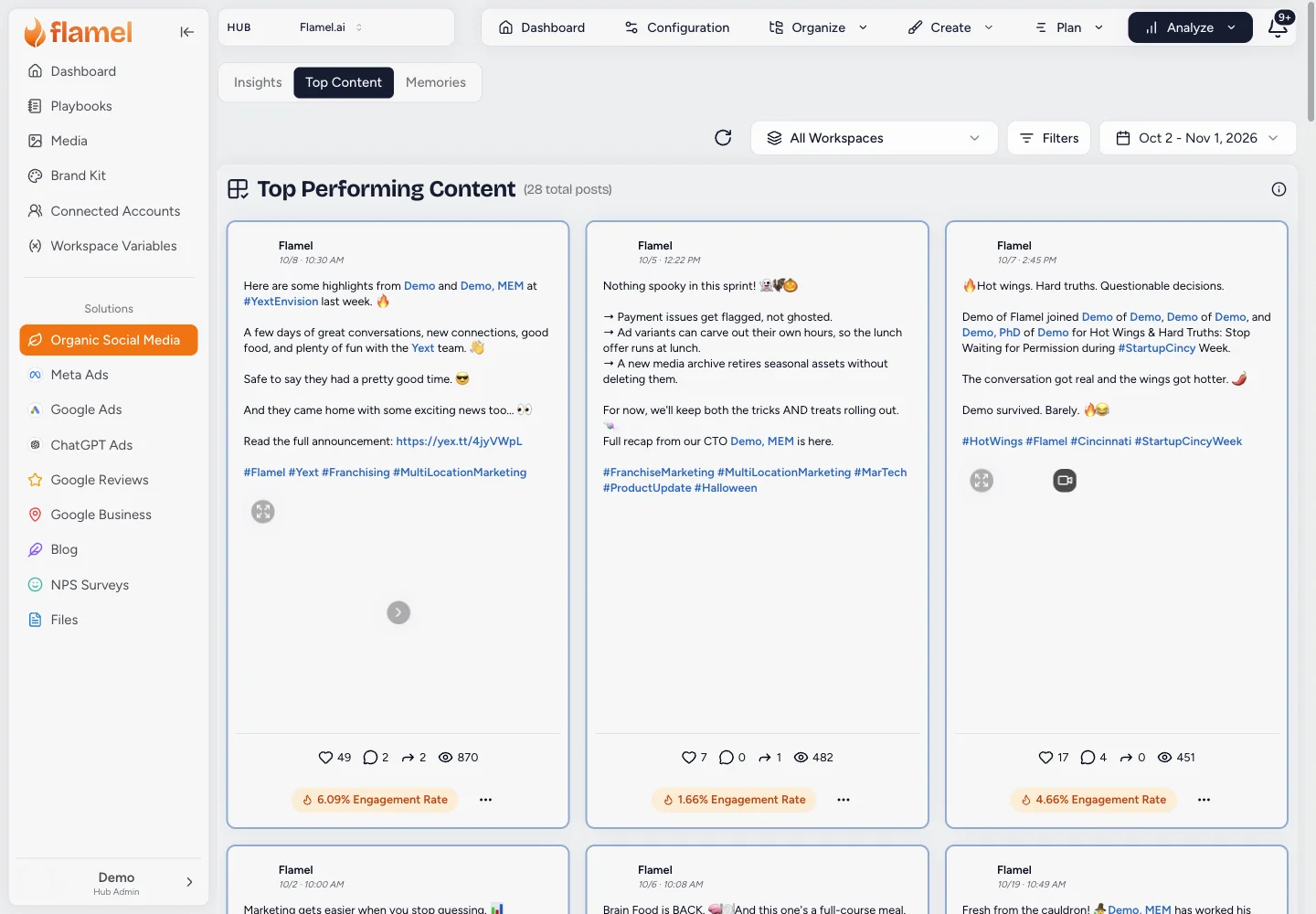
Open Organic Social Media > Analyze > Content Insights > Top Content. Filter by workspace, platform, and date range.
Match the post to your goal
Look for meaningful engagement and a clear next action. Check that its offer, dates, links, and location details are current. Compare engagement rate as well as total engagement so a large audience does not decide the choice alone.
Open a boosted-post playbook
Switch into the location's workspace. Open Meta Ads > Shop Playbooks, find a playbook with a Boosted Post badge, and click Opt In.
Select and review the post
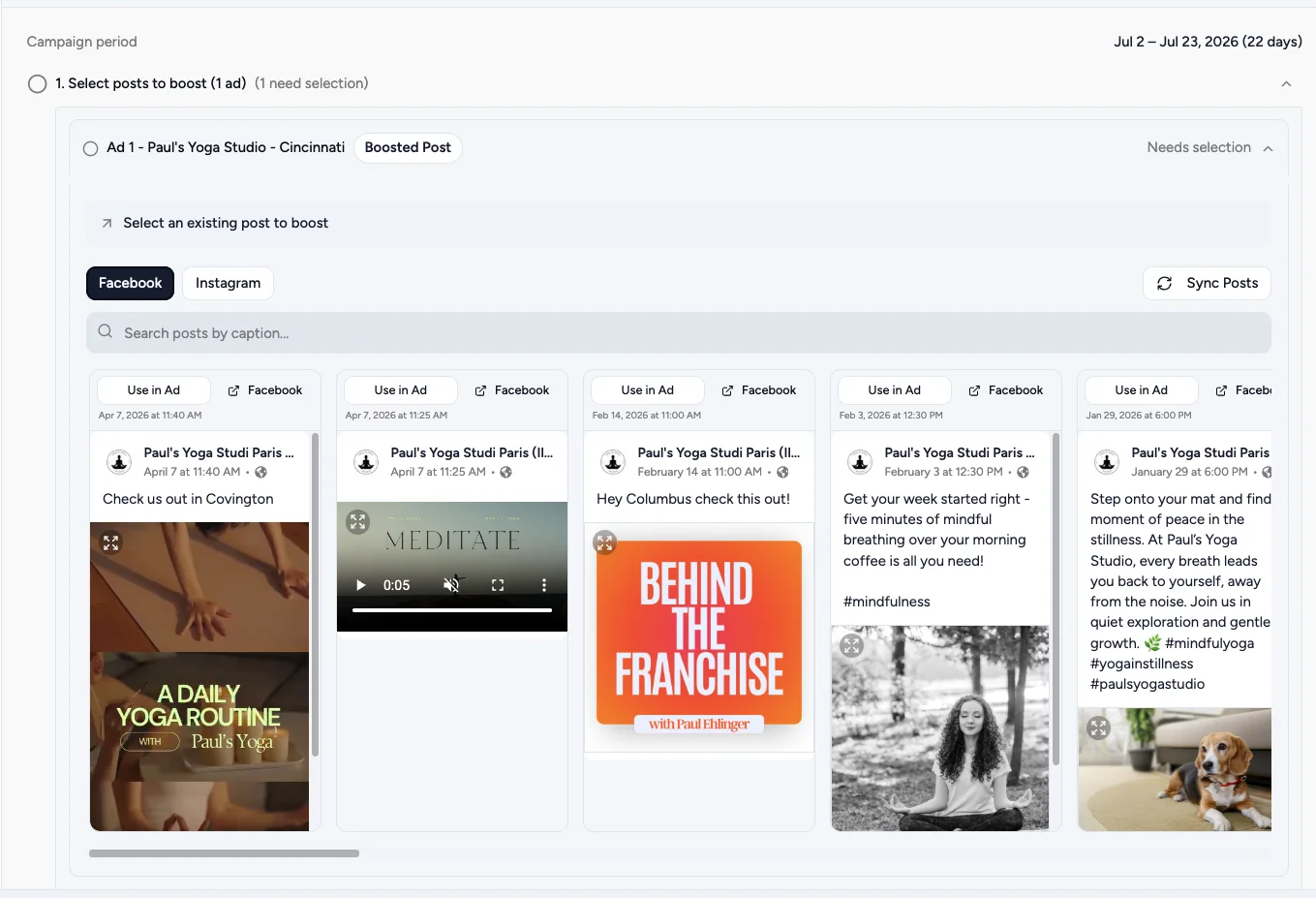
In Creative, choose Facebook or Instagram, find the eligible post, and click Use in Ad. Review the budget, schedule, targeting, and selected post before submitting. If the hub requires creative approval, wait for that review.
Existing post or new creative?
A boosted-post playbook uses the existing Facebook or Instagram post you select. Uploading an image and caption as new ad creative creates a different ad workflow. Use Hub Media or Workspace Media when you need new creative.
Review the paid result
Use Meta Ads Analytics to check the result that matches your campaign goal and its cost. Compare similar date ranges and campaign goals before deciding whether to repeat the test.